
How to Chat with Multiple PDFs
PDF AI tools have revolutionized how we interact with documents, enabling seamless and intelligent communication with multiple PDFs. Engaging with multiple PDFs allows you to extract insights, ask questions, and compare content across documents without switching between files.
This feature is particularly useful for researchers, analysts, and professionals handling extensive data. Follow the simple steps below to learn how to chat with multiple PDFs and unlock a more efficient way to work with your documents:
- Install and access PDFelement’s main interface to import the PDF you need to chat with. To import the file, click the “Open PDF” button on the top-left corner of the screen.
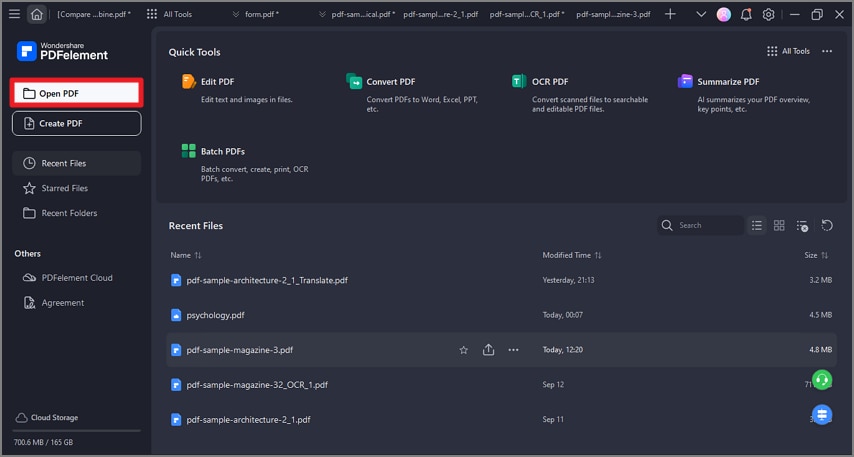
A screenshot of the application interface highlighting the open PDF button.
- Once you are on the editing interface, navigate to the “Home” tab from the top toolbar and pick the “AI Assistant” option. From the drop-down menu, choose “AI Chat” and select the “Chat with PDF” option from the extended menu.
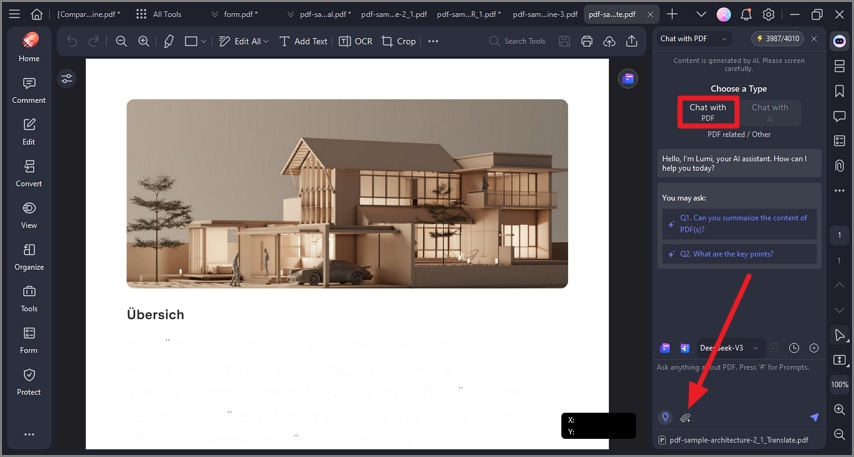
A screenshot of the AI tools menu highlighting Chat with PDF.
- Within the “Chat with PDF” screen, hit the “Paper Clip” icon to import a new file to chat with multiple PDFs on the same time.
A screenshot of the file selection interface showing multiple files added.
- Once both the PDF files are integrated into the AI Assistant chat box of PDFelement, type in the “Prompt” box to chat with the multiple PDFs.
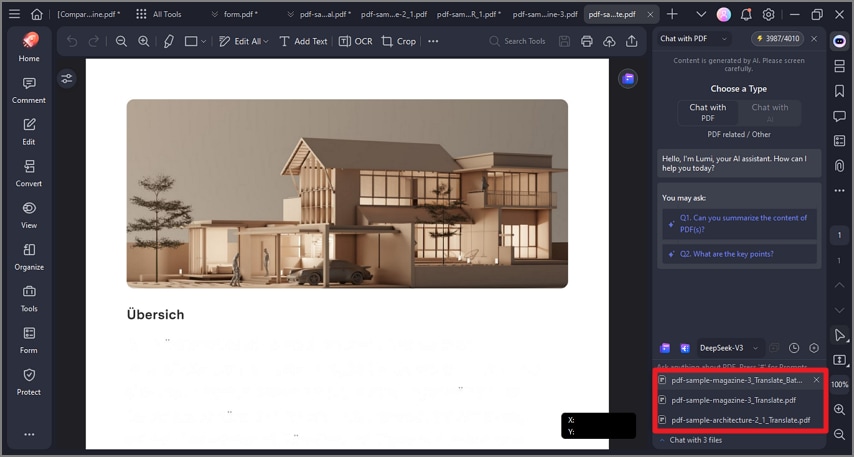
A screenshot of the AI chat interface associated with multiple PDFs.
- Finally, its AI will generate a response to your prompt, which you can copy to your clipboard and use later on.
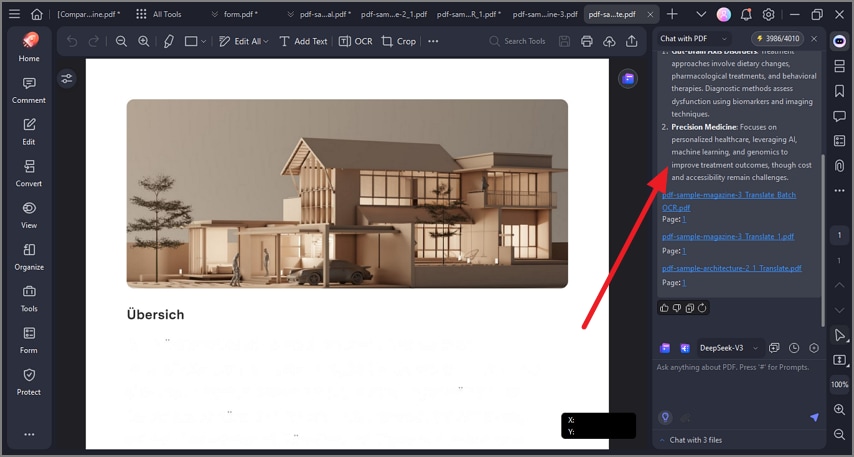
A screenshot of the AI chat interface displaying a generated answer.