

How to Download and Install OCR on Mac
(Only available in PDFelement Professional for Mac version)
OCR needs to be installed separately.
- After registering the full version of PDFelement Professional for Mac, please click the "OCR PDF" tool on the Homepage and select "Download" in the pop-up downloading window.".
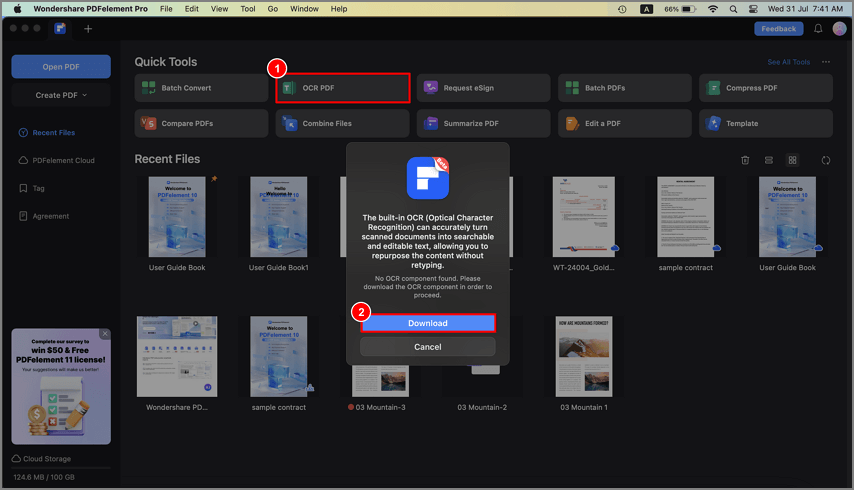
A screenshot of the OCR download interface.
- You can also open a PDF file first, click the "Tool" > "OCR Text Recognition" button to open the OCR downloading window.
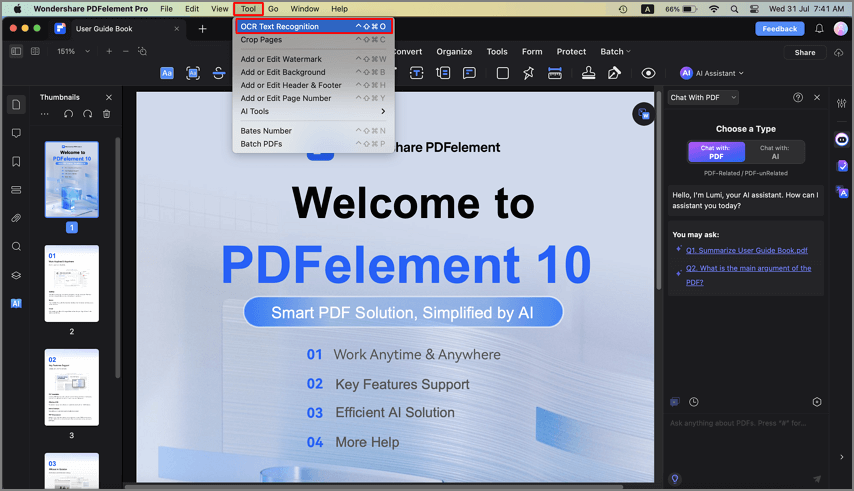
A screenshot of the application menu highlighting download options.
- Alternatively, you can click "Wondershare PDFelement Pro" > "Settings" > "Plugin" to install the OCR plugin.
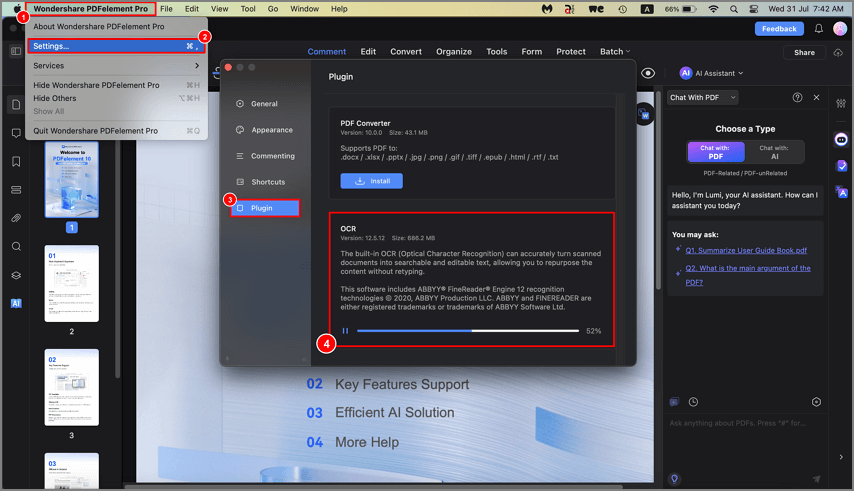
A screenshot of the OCR installation prompt.