

How to Recognize Table in PDF on Mac
The task of recognizing tables in PDF documents is said to be challenging due to the varying structures of PDFs. However, PDFelement has made it a quick process with a few clicks. These are the instructions you need to follow:
You can start by clicking "Tools" to access different PDF tools available in the software. Here, press "More" and choose the first option, "Recognize Table."
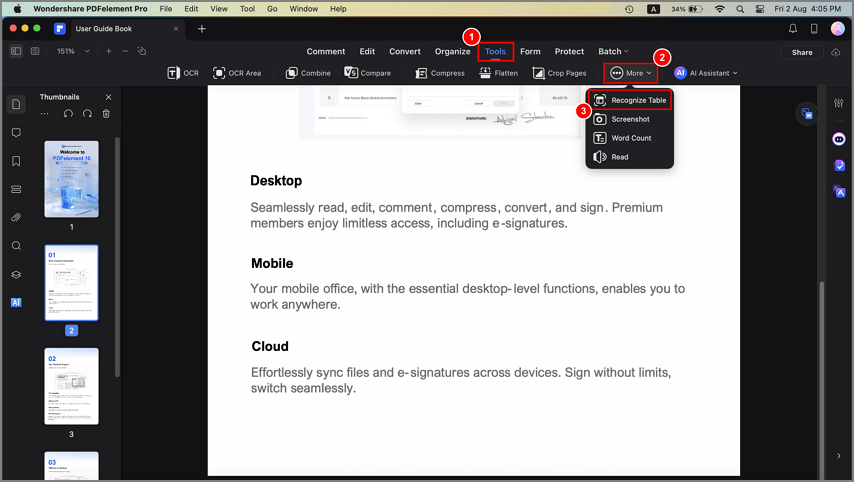
A screenshot of the form tools highlighting the table recognition feature.
Now, the program will ask you to "Save" your PDF using a pop-up window. After saving the file, the program will share another pop-up window with the number of detected tables. Here, press "Select Table(s)" to select the detected tables.
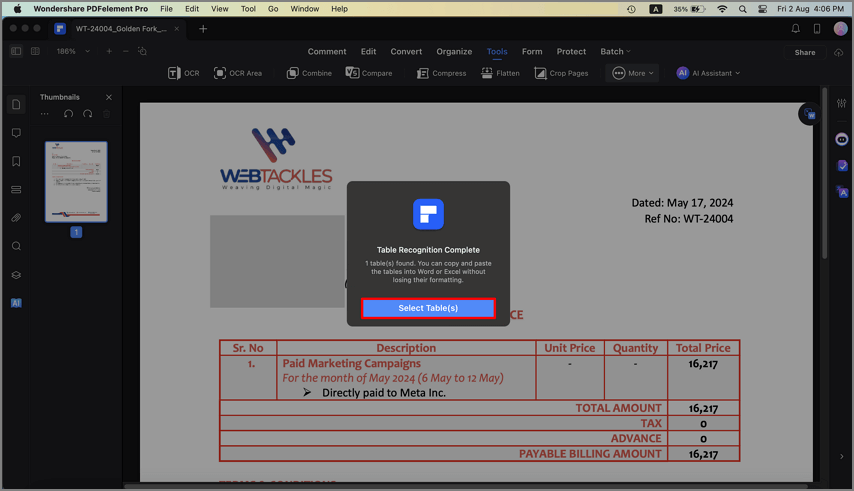
A screenshot showing a table selected within the document.
You can now copy them using the "Copy Table" option and later paste them into other documents without losing their formatting.
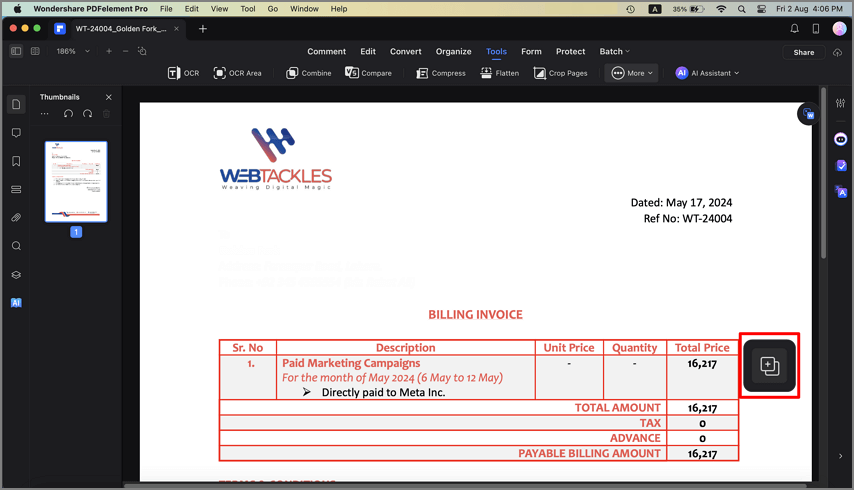
A screenshot of a recognized table selected for copying.