How to Rotate a PDF on Mac
PDFelement for Mac enables you to rotate pages in a PDF document.
Open one file and click the "Organize" icon on the top left.
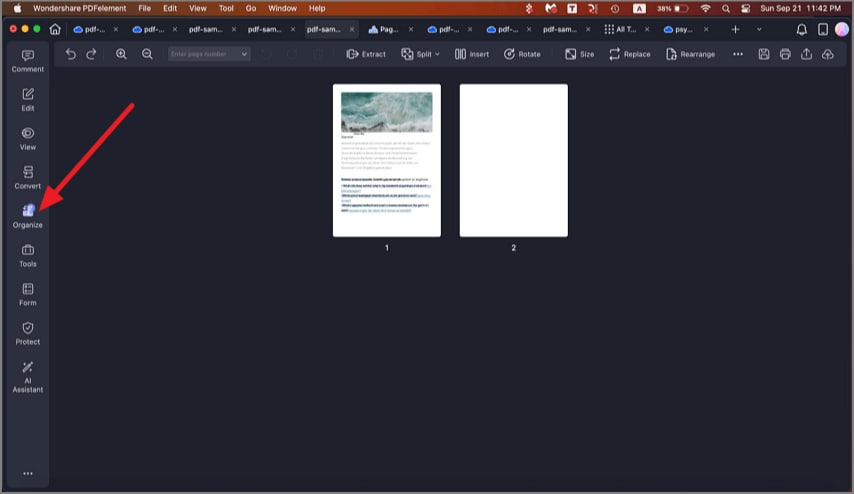
A screenshot highlighting the Organize button.
Click "Rotate" in the pop-up window. Click a single page or hold the Command key and click multiple pages to be selected, or select the pages you want to rotate in the right panel, and then choose the rotate direction on the bottom.
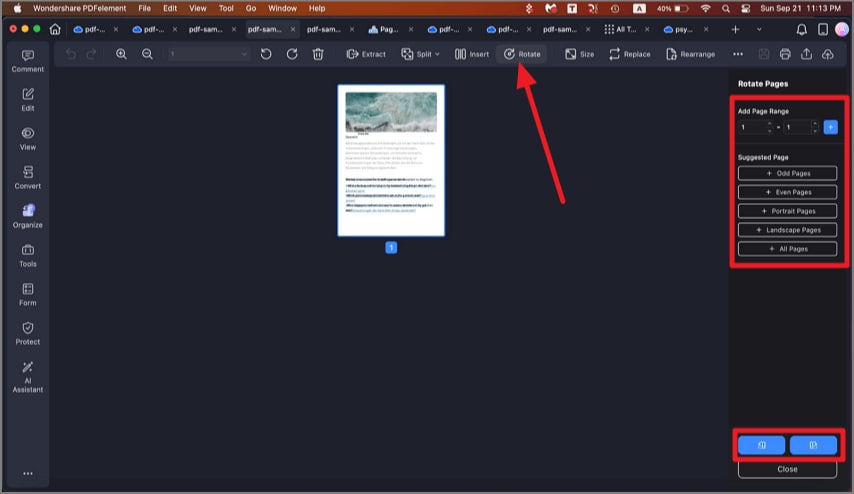
A screenshot of page rotation options.
Alternatively, you can go to the Thumbnail Panel, right-click a page you want to rotate, and select the "Rotate" option in the drop-down menu.
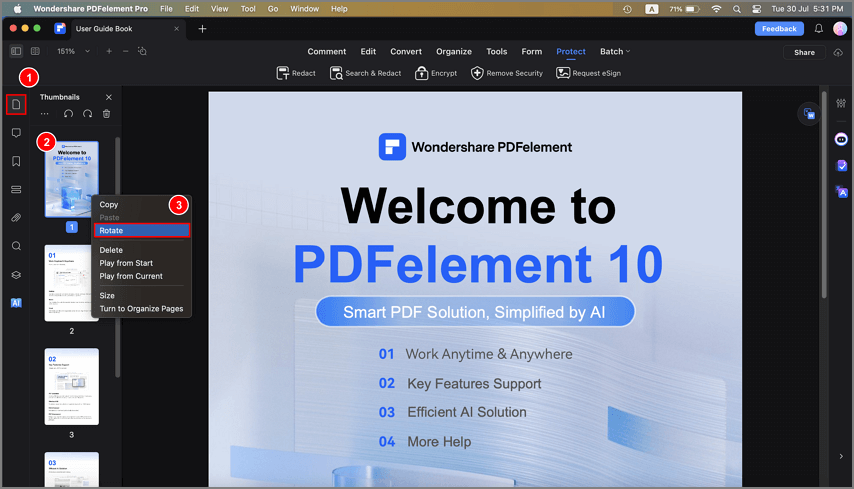
A screenshot of page thumbnails showing rotated pages.