

Teams receive invoices, forms, and reports every day from many sources online. Checking each field by hand takes time and often causes avoidable mistakes. Therefore, managers seek clear workflows that speed entry and improve accuracy quickly. As volume grows, even skilled staff struggle to keep records consistent daily.
With AI data extraction, software reads documents and captures key values securely. Then, it routes the results into spreadsheets, databases, or accounting tools smoothly. Moreover, built-in checks flag missing totals, dates, and supplier names early, too. As a result, teams finish reviews faster, while audits become simpler.
In this article
- What AI Data Extraction Actually Means
- Why Traditional Data Extraction Tools Reach Their Limits
- What AI Improves in Data Extraction Workflows
- What AI Cannot Fully Automate (Yet)
- Types of AI Data Extraction Tools On The Market
- Key Features To Look For In AI Data Extraction Software
- Using PDFelement for AI-Assisted Data Extraction
- Free AI Data Extraction Tools vs Professional Software
- How AI Data Extraction Fits into Business Workflows
- Common Misconceptions About AI Data Extraction
Part 1. What AI Data Extraction Actually Means
AI data extraction refers to software that reads documents and pulls useful information automatically. Unlike basic automation, it does not rely only on fixed rules. Instead, it recognises patterns, layouts, and relationships within content before capturing key fields accurately.
Traditional vs AI-Based Extraction
Traditional data extraction depends on rigid templates and predefined rules. If a layout changes, the system often fails immediately. In contrast, data extraction AI tools adapt to different formats. They identify invoice numbers, dates, and totals even when placement varies slightly across documents.
From Rules to Context
Earlier systems followed strict coordinates and keyword matching. However, AI data extraction focuses on context. It understands that a number near "Total" likely represents payment due. That is why contextual awareness, the software handles semi-structured and unstructured files more reliably.
Why AI Does Not Mean Full Automation
Although advanced, AI still requires human oversight. Teams review exceptions, train models, and confirm unusual entries carefully. Therefore, "AI" improves speed and accuracy significantly, yet it does not eliminate human responsibility entirely.
Part 2. Why Traditional Data Extraction Tools Reach Their Limits
As businesses adopt AI data extraction, the following limits of older tools become clear:
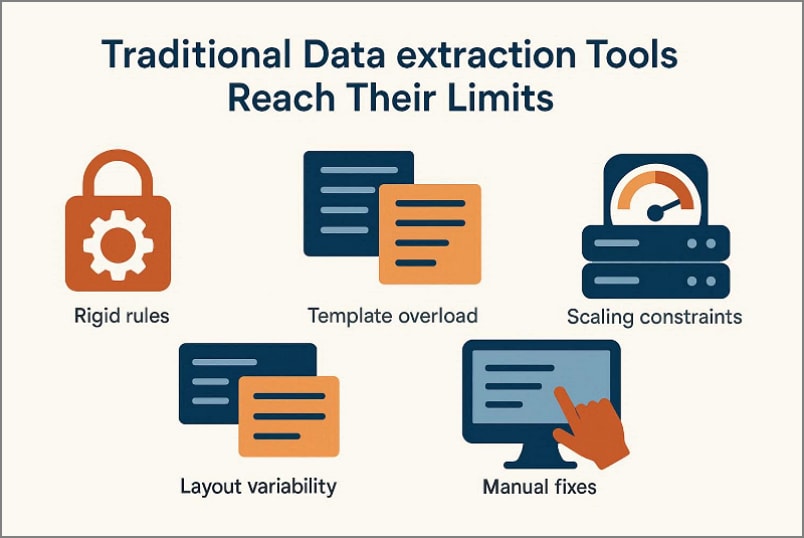
Rigid Rules: Rule-based systems depend on fixed keywords and exact field positions strictly. Minor formatting changes immediately reduce extraction accuracy and overall reliability.
Template Overload: Each document layout requires its own predefined extraction template configuration. Maintaining numerous templates increases workload and ongoing technical management costs.
Layout Variability: Different vendors design documents using inconsistent structures and formatting styles. Field movement frequently disrupts the performance of traditional extraction systems significantly.
Manual Fixes: Employees regularly review and correct inaccurate outputs from systems. Thus, repeated manual adjustments reduce operational efficiency and delay workflows.
Scaling Constraints: Increasing document volumes place growing pressure on legacy extraction systems. So, performance declines rapidly when complexity and structural variation expand.


 G2 Rating: 4.5/5 |
 100% Secure
Part 3. What AI Improves in Data Extraction Workflows
Modern businesses no longer deal with clean, perfectly formatted files. Instead, they manage invoices, contracts, emails, scanned PDFs, and mixed-layout documents daily. This is where an AI document extractor transforms traditional workflows into intelligent, adaptable systems.
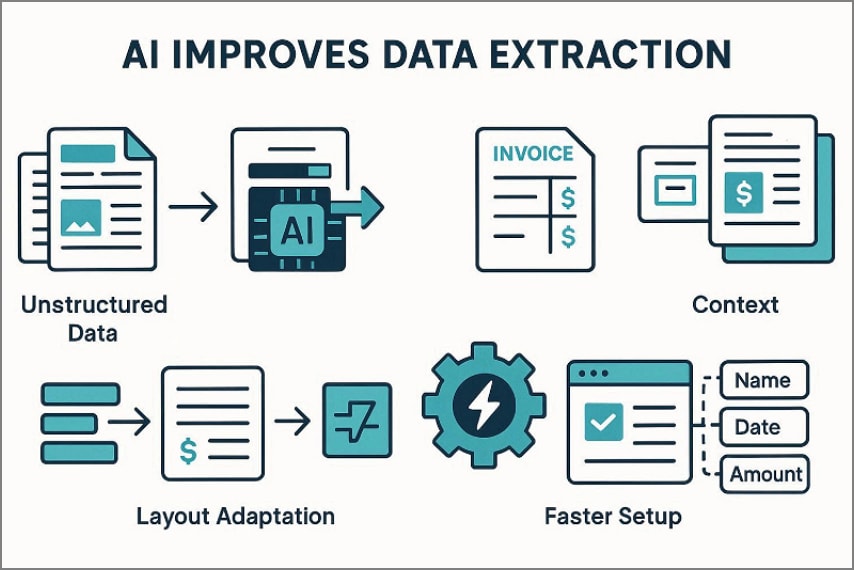
Handling Unstructured & Semi-Structured Data
First, AI handles unstructured documents and semi-structured files more reliably. Instead of depending on rigid templates, it learns patterns across varied layouts. Consequently, it can capture fields from emails, scans, and inconsistent PDFs. Also, it keeps the extraction stable even when the text appears messy or incomplete.
Interpreting Document Context
Finally, AI interprets document context, not just visible text strings. For instance, it distinguishes invoice numbers from order references using clues. Consequently, extracted results become cleaner and require fewer corrections later. In addition, contextual understanding supports validation and reduces downstream errors.
Adapting to Layout Changes
Next, AI adapts smoothly when document layouts change without warning. While rule-based tools break after small design shifts, AI remains usable. As a result, moving headers or swapped columns causes fewer extraction failures. Additionally, it recognizes label value relationships rather than fixed positions.
Reducing Setup and Configuration Time
Then, AI reduces setup time and configuration effort for new workflows. Rather than building rules manually, teams provide examples for rapid learning. Therefore, deployment becomes quicker, and maintenance demands drop significantly. Furthermore, updates require fewer technical changes when formats evolve often.
G2 Rating: 4.5/5 |100% Secure
Part 4. What AI Cannot Fully Automate (Yet)
While AI improves extraction speed and consistency significantly, certain limits still exist. The following points clarify where automation still requires careful human involvement:
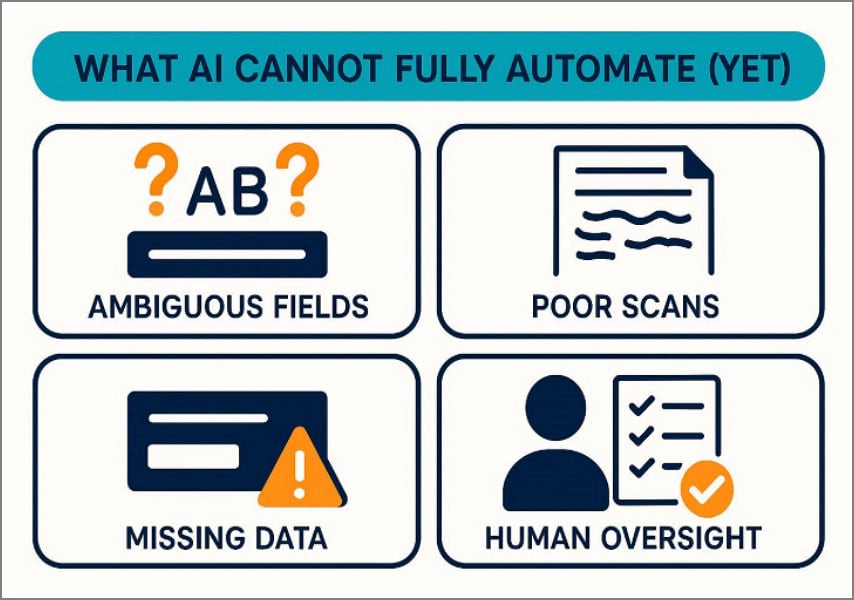
Ambiguous Fields: Similar labels confuse systems when meanings depend heavily on context clues. Human judgment resolves unclear references using broader business knowledge.
Poor Scans: Blurry or distorted scans reduce character recognition accuracy significantly. Experienced professionals interpret damaged documents using logic and contextual understanding.
Missing Data: Incomplete records lack essential values required for accurate extraction processes. Humans verify missing information and confirm details through external validation.
Human Oversight: Automation accelerates workflows but cannot guarantee perfect decision-making. Thus, skilled reviewers ensure compliance, accuracy, and responsible final approval.
Part 5. Types of AI Data Extraction Tools On The Market
To choose the right solution, it helps to know what categories exist. The main types are listed below, so you can compare them quickly. Today's AI data extraction tools vary in terms of control, setup effort, and flexibility. Meanwhile, many data extraction tools still support structured documents very efficiently.
End-User AI Data Extraction Software
These tools are built for business users who want simple, guided workflows. They provide visual setup, quick previews, and review queues for corrections. As a result, teams can deploy faster without relying heavily on developers. Additionally, dashboards support monitoring, exports, and basic workflow automation features.
Developer-Focused AI Extraction APIs
These solutions target engineering teams who need deeper integration control. They expose endpoints for extraction, classification, validation, and confidence scoring. Therefore, developers can connect outputs to databases, ERPs, and internal services. Moreover, APIs allow customization for unique formats and complex enterprise workflows.
Hybrid Tools Combining OCR, Rules, and AI
Hybrid platforms combine OCR accuracy, rules stability, and AI understanding together. That is why they handle both predictable templates and variable layouts well. Furthermore, rules capture consistent fields while AI interprets harder content reliably. Consequently, organizations balance speed, accuracy, and governance across document pipelines.
Part 6. Key Features To Look For In AI Data Extraction Software
Before selecting a platform, understanding evaluation criteria becomes critically important. The following features highlight what truly defines reliable data extraction software:
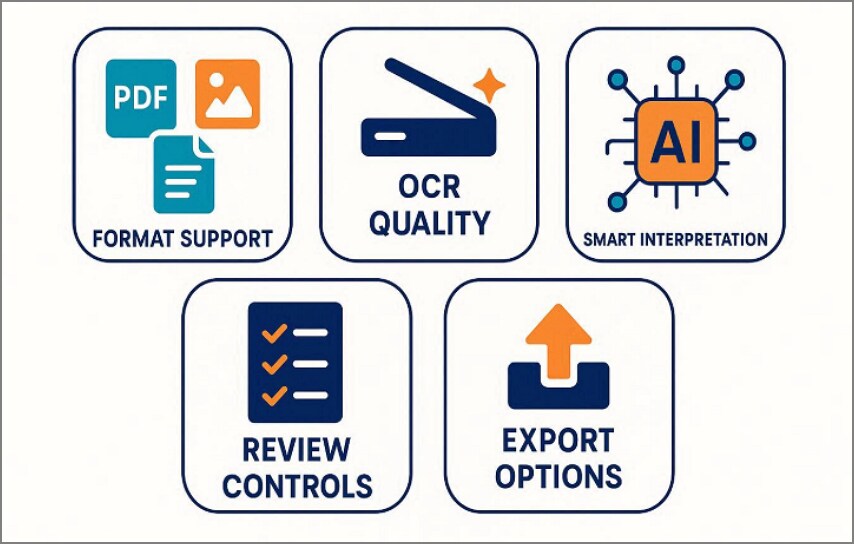
Format Support: It should handle PDFs, scans, images, and mixed attachments without frequent failures. Broad compatibility keeps workflows consistent across departments and document sources daily.
OCR Quality: High-quality OCR improves character recognition accuracy across difficult document conditions. Strong preprocessing removes noise, straightens pages, and sharpens text before extraction.
Smart Interpretation: AI should understand context instead of reading isolated text values only. Contextual interpretation boosts matching accuracy and reduces correction work for reviewers.
Review Controls: Review and validation tools help teams confirm outputs before sending data onward. Clear audit trails increase accountability and support compliance requirements across operations.
Integration Options: Export options should support spreadsheets, databases, and downstream system connectors reliably. API integrations enable continuous automation across finance, CRM, and ERP workflows smoothly.
G2 Rating: 4.5/5 |100% Secure
Part 7. Using PDFelement for AI-Assisted Data Extraction
Modern businesses process contracts, invoices, reports, and scanned records every day. However, extracting usable information from these files often becomes time-consuming and inconsistent. This is where data extraction software must combine intelligence with control. PDFelement introduces AI-assisted capabilities that streamline document handling while keeping users confidently involved throughout the workflow.
Instead of forcing rigid templates, PDFelement adapts to real-world document variability. It extracts information from native PDFs, scanned documents, and image files within one unified interface. With built-in OCR and advanced AI features, users can review, refine, and export results efficiently. The platform balances automation power with the following capabilities for professional environments:
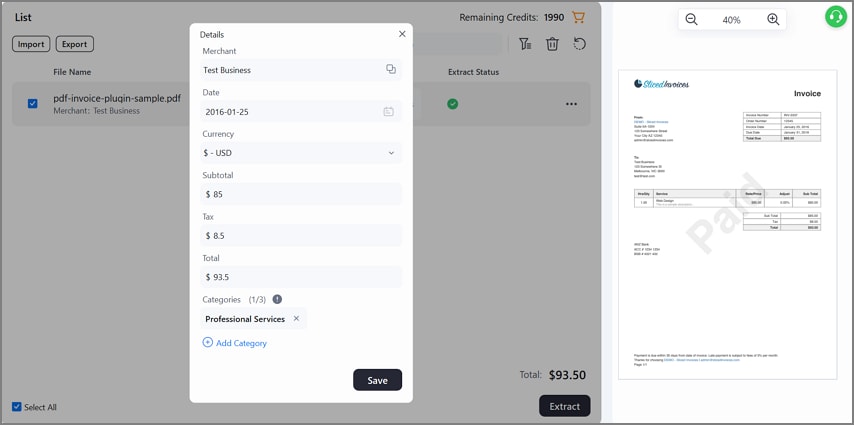
Extract Data from PDFs, Scanned Documents, and Images
PDFelement enables data extraction from native PDFs, scanned contracts, and image files. This unified capability removes the need for multiple tools in daily workflows. It also supports receipt assistance, helping users capture key purchase details from receipts quickly. Teams can upload mixed document types and process them consistently within one interface.
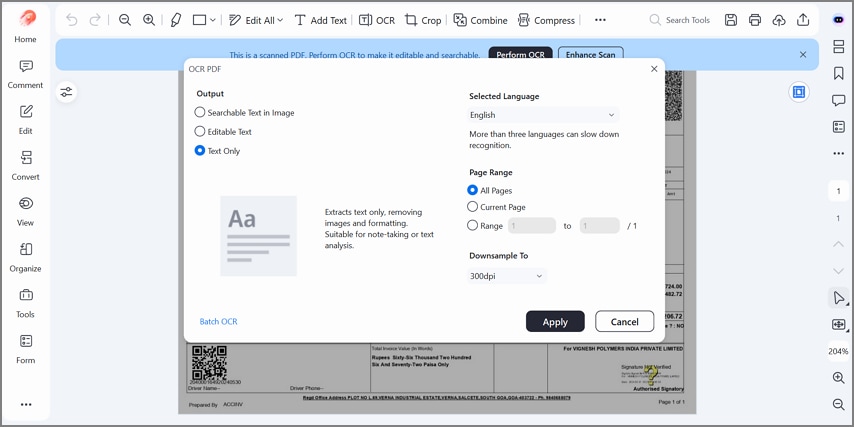
OCR for Image-Based Files
For scanned or photographed documents, built-in OCR converts images into readable text. The system enhances clarity before extraction, improving recognition accuracy significantly. This ensures that even low-quality scans can be prepared for structured processing.
AI-Powered Features
PDFelement goes beyond basic extraction by adding AI tools that support deeper document understanding. Below are some AI-powered features that improve accuracy, speed, and contextual document interaction:
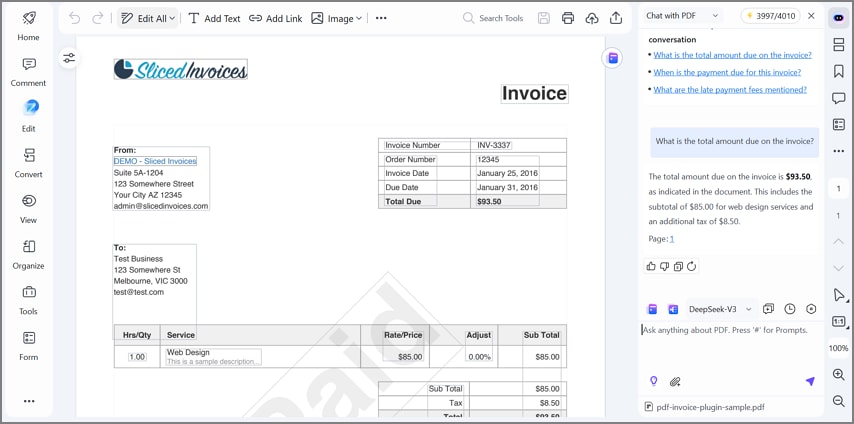
Chat with PDF for Contextual Queries
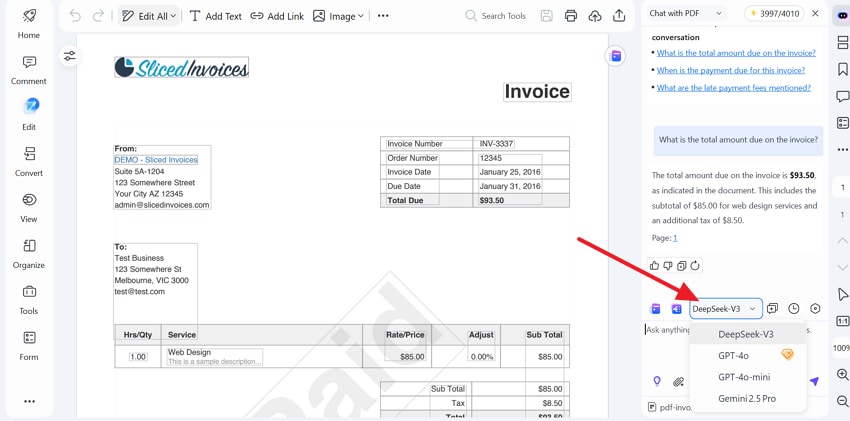
The Chat with PDF feature allows users to ask document-specific questions. Instead of manually searching pages, users receive contextual answers instantly. This helps confirm extracted values quickly within long or complex files.
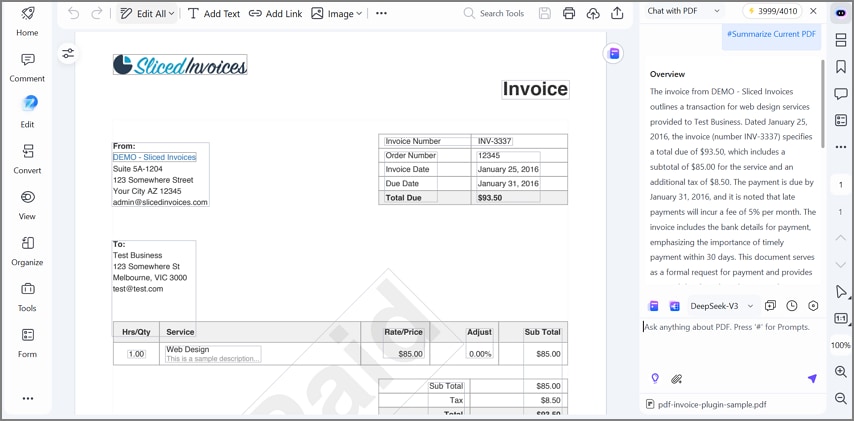
AI Summarization and Interpretation
AI summarization condenses extracted information into clear, structured insights. It highlights key points, totals, and references for easier validation. This reduces review time and improves clarity during internal reporting processes.
Support for Multiple AI Models
PDFelement supports advanced AI models such as GPT-4o, Gemini, and DeepSeek. This flexibility allows organizations to align tools with internal AI preferences. Multiple model support increases adaptability for evolving compliance requirements.
Manual Review and Correction Before Export
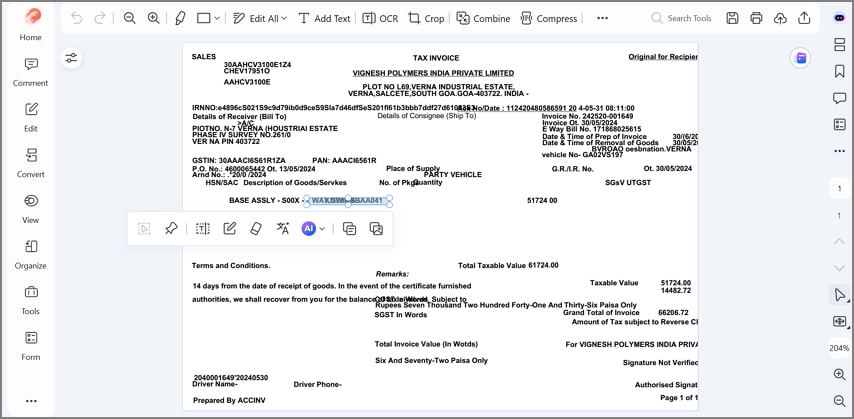
Before exporting results, users can review and edit extracted fields carefully. Validation tools allow corrections to ensure compliance with and data accuracy standards. This step reinforces reliability while preserving the efficiency gained through automation.
Part 8. Free AI Data Extraction Tools vs Professional Software
Before choosing a solution, it is important to understand practical differences. The comparison below clarifies where free data extraction tools perform well and where professional platforms deliver stronger long-term value:
| What You Need | Free Data Extraction Tools | Professional Software |
| Good For | Quick tests, small one-off tasks, simple documents | Daily workflows, large volumes, mixed document types |
| Accuracy | Can be inconsistent on complex layouts and messy scans | More stable accuracy with validation and smarter models |
| File limits | Often limits file size, pages, or daily usage | Handles bigger files, batch processing, and higher throughput |
| Privacy | Data handling may be unclear, with fewer control options | Stronger controls, compliance options, and enterprise security |
| Integrations | Few export formats, limited automation connections | Better exports, APIs, and integration with business systems |
| When to upgrade | When errors, limits, or privacy risks start slowing work | When accuracy, scale, and compliance become business critical |
When Professional Tools Become Necessary
Free solutions help with quick testing and occasional extraction tasks. However, free data extraction tools struggle when you need consistent accuracy daily. Professional software becomes necessary when compliance and privacy requirements must be met. It also matters when large volumes and system integrations support reliable business operations.
Part 9. How AI Data Extraction Fits into Business Workflows
AI data extraction is not the final step in processing documents. Instead, it is the first step that feeds accurate data into business systems. When information becomes structured early, teams avoid delays and repeated manual entry.
Reporting and Analytics
Extracted data powers dashboards, performance reports, and trend analysis. Finance teams track spending, taxes, and vendor totals with better accuracy. Operations teams monitor volumes, turnaround times, and exception rates more easily. As a result, leaders make faster decisions using reliable numbers, not guesses.
Spreadsheet and Database Imports
AI extraction turns documents into rows and columns automatically. Teams can import invoice lines into spreadsheets without typing each field. Likewise, structured records can be stored inside databases for long-term use. This improves consistency, reduces human errors, and supports cleaner data management.
Automation Platforms and Downstream Systems
Extracted data can trigger workflows across connected business applications. For example, invoices can be routed for approvals, then posted into accounting systems. Customer forms can update CRMs, while claims can enter ERP processing queues. Therefore, automation becomes smoother because systems receive standardized inputs.
Why Clean Extraction Is the Foundation
Every later step depends on the quality of the extracted information. If early extraction is messy, reporting and automation will spread those errors. Clean extraction builds trust, reduces rework, and keeps workflows predictable daily.
Part 10. Common Misconceptions About AI Data Extraction
Before adopting new systems, many assumptions create confusion about ai data extraction capabilities. Below are common misconceptions that often influence unrealistic expectations and buying decisions:
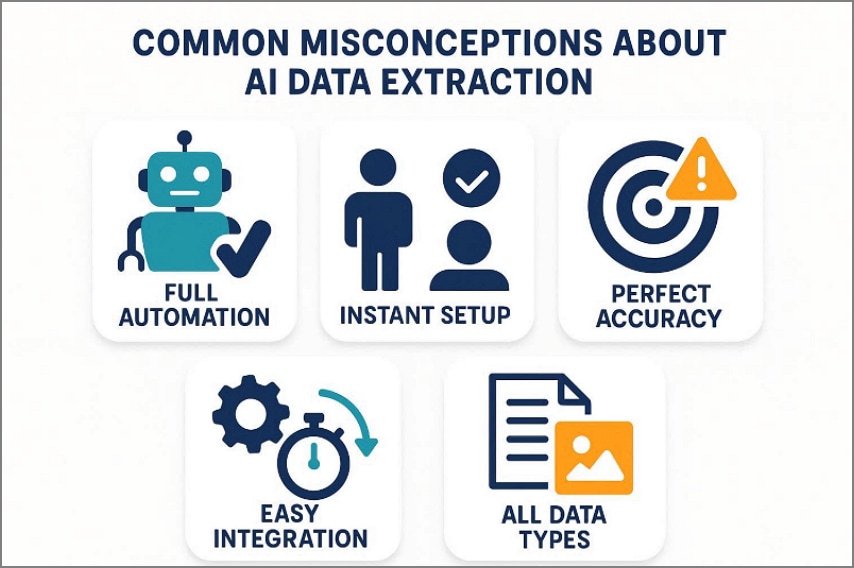
Full Automation: Many people assume AI removes every manual review step completely. In practice, human checks remain necessary for complex or sensitive documents.
Perfect Accuracy: Some teams expect extracted data to be completely correct. However, messy layouts and unclear fields can still reduce accuracy.
Instant Setup: Organizations often believe deployment requires no training or configuration effort. Yet most tools need examples, tuning, and workflow alignment for reliability.
Context Mastery: Many users think AI understands every business rule without guidance. Actually, interpretation improves only when models receive strong contextual signals.
Universal Fit: Some assume one solution works equally well for every document type. Different industries need tailored settings, validation rules, and exception handling.
FAQs About AI Data Extraction
-
What is AI data extraction?
AI data extraction uses machine learning to identify and capture structured information automatically. It analyzes document patterns and context to convert unstructured content into usable data. -
How accurate is AI data extraction?
Accuracy depends on document quality, training data, and implemented validation workflows. Well-configured systems achieve high consistency across complex and variable document layouts. -
What is the best AI data extraction software?
The best software balances extraction accuracy, customization flexibility, and system integration capabilities. It should also provide validation controls and adapt to real document variability. -
Are free AI data extraction tools reliable?
Free tools can support small tasks and light document processing needs. However, they often lack advanced accuracy, privacy controls, and scalability features. -
When should I use AI instead of rule-based extraction?
Use AI when documents change frequently, and layouts vary significantly. Rule-based extraction works better for fixed templates with predictable structures.
Wrap-Up: Choosing The Right AI Data Extraction Approach
To conclude, choosing the right AI data extraction approach means balancing speed gains with careful human oversight. Match tools to document variability, volume, and compliance needs before scaling automation across departments safely. Prioritize OCR quality, validation queues, audit trails, and exports that integrate with spreadsheets and ERPs. For this balance, PDFelement offers receipt assistance, chat with PDF, manual review, and secure exports.




