EBooks have completely revolutionized the way we consume literature, textbooks, and documentation due to their incredible convenience and portability. However, finding the bestPDF eBook reader for your specific needs can still be a frustrating task. PDF preserves a fixed page layout, which is useful for illustrated textbooks and documents but can require zooming on smaller screens. EPUB more often supports reflowable text, making it easier to adjust type size on phones and e-readers.
If you are a student highlighting lecture notes, a professional reviewing long reports, or a bookworm enjoying an independent novel, you need a dedicated PDF book reader that offers advanced viewing modes, annotation capabilities, and eye-protection features. This comprehensive guide outlines the best PDF eBook readers available today across desktop platforms, online libraries, and mobile apps, ensuring you find the perfect ebook and pdf reader for your lifestyle.


 G2 Rating: 4.5/5 |
 100% Secure
Part 1: Best PDF eBook Readers for PC & Mac
Desktop computers offer the largest screens, making them ideal for reading complex, graphic-heavy PDF files. Here are the top software choices for Windows and macOS.
1. Wondershare PDFelement - The Ultimate All-in-One Solution
If you are looking for a highly capable, full-featured ebook pdf reader, Wondershare PDFelement is arguably the top choice on the market. Far more than just a basic viewer, PDFelement is a professional-grade PDF editor that has been meticulously designed with the reader's comfort in mind.
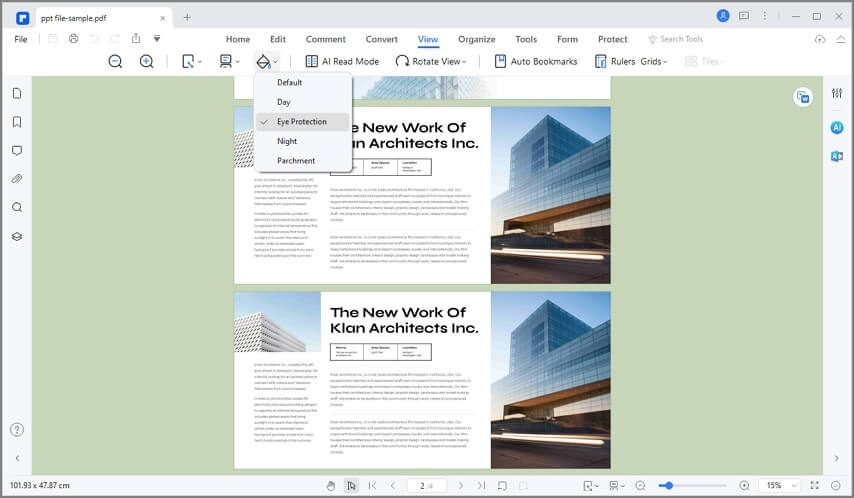
When it comes to acting as a pdf ebook reader, PDFelement truly shines through its dedicated Reading Modes. You can dive into your books in full screen using the "Read Mode," which removes distracting toolbars while still allowing you to access markup tools. To reduce eye strain during long study sessions, PDFelement provides several background themes, including Light mode, Dark mode, Eye Protection mode, and a textured Parchment mode.
G2 Rating: 4.5/5 |100% Secure
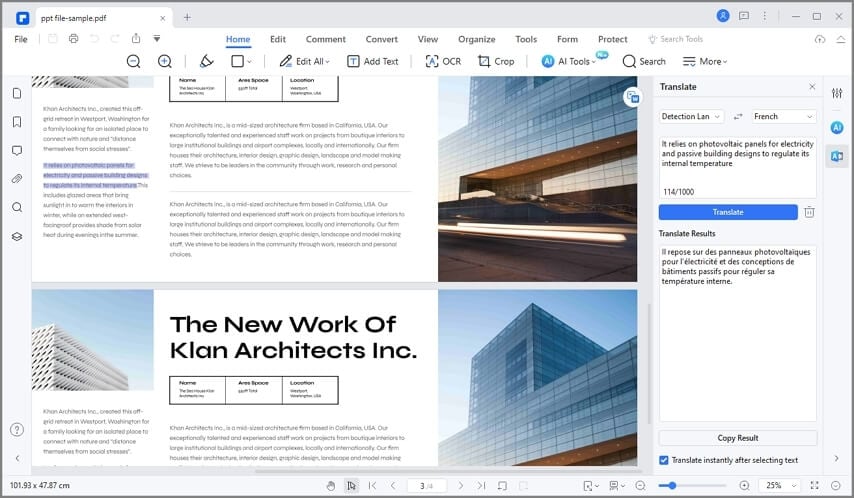
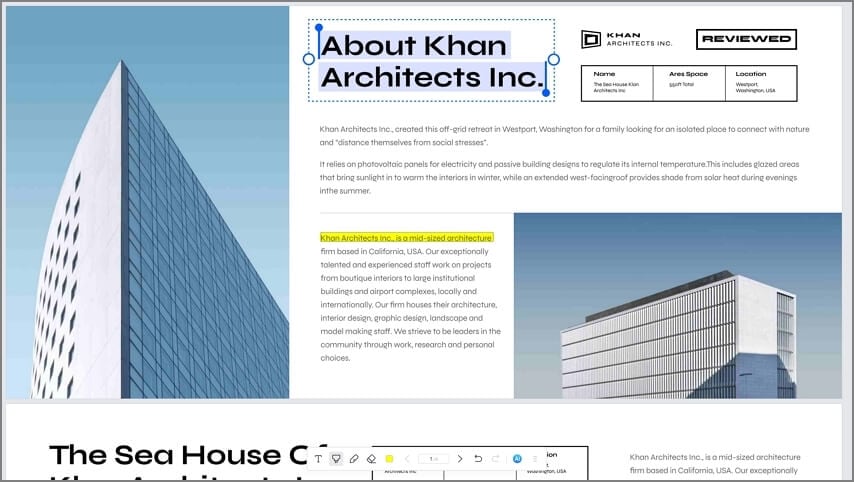
Furthermore, the software is packed with annotation tools. You can highlight, underline, or strike through text, and leave sticky notes in the margins—perfect for active reading. If you are reading foreign literature, PDFelement features a built-in AI translation tool. Simply select a block of text, and the software will translate it into over 100 supported languages instantly.
G2 Rating: 4.5/5 |100% Secure
2. Apple Books (iBooks) - Seamless Apple Ecosystem Reading
For Mac users, Apple Books (formerly iBooks) serves as the default free ebook reader. Apple Books excels in its sleek, modern interface that beautifully renders both EPUBs and PDFs. When you import a PDF into Apple Books, it is automatically organized onto a stunning virtual bookshelf.
Apple Books mimics the physical reading experience flawlessly. Page flipping is animated smoothly, and the software remembers exactly where you left off, automatically opening to your last bookmarked page. You can customize the brightness, apply a high-contrast Night Mode, and organize your PDFs into custom collections.
3. Amazon Kindle App - A Strong Ecosystem for PDF Reading
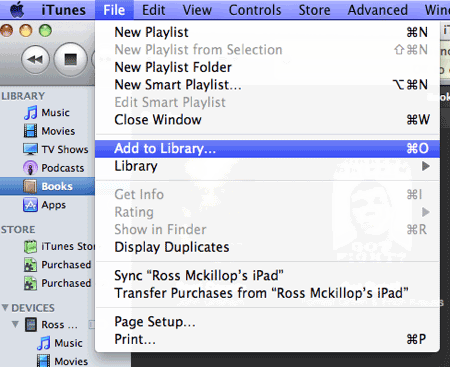
While Amazon is famous for its Kindle hardware, the Kindle desktop app for Windows and Mac is also a robust ebook and pdf reader. For personal PDFs, check the current Send to Kindle workflow and supported device/app behavior rather than assuming every desktop Kindle application can directly import them.
The Kindle desktop app presents a clean, distraction-free interface. With a simple click or keyboard tap, you can navigate pages smoothly. The app allows you to place digital bookmarks, jump between chapters, and adjust the layout. While it handles standard text-based PDFs well, its true strength lies in its ecosystem—if you upload a PDF to your Kindle library via the "Send to Kindle" feature, you can sync your reading progress across your PC, smartphone, and Kindle eReader.
4. Calibre - The Open-Source Library Manager
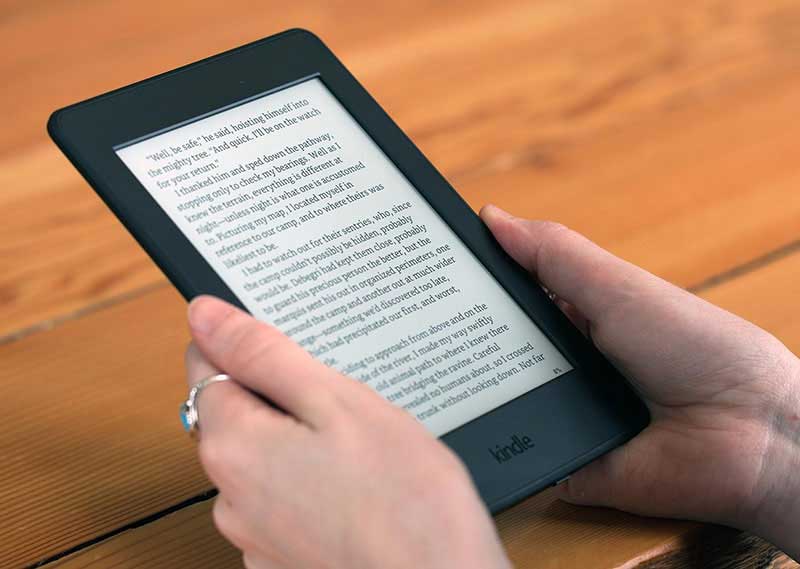
Calibre is beloved by eBook enthusiasts. While it is primarily known as a library management and format conversion tool, it includes a highly capable built-in E-book viewer. Calibre can open almost any format, including PDF, EPUB, and MOBI. It allows you to organize massive collections of digital books, edit metadata, and convert PDFs into more reflowable formats if you prefer to send them to hardware devices.
Part 2: Best Free eBook Readers Online
If you do not want to install software, or if you are looking to source free reading material directly from the web, several online platforms serve as excellent web-based pdf book readers.
1. Project Gutenberg - The Pioneer of Public Domain Books
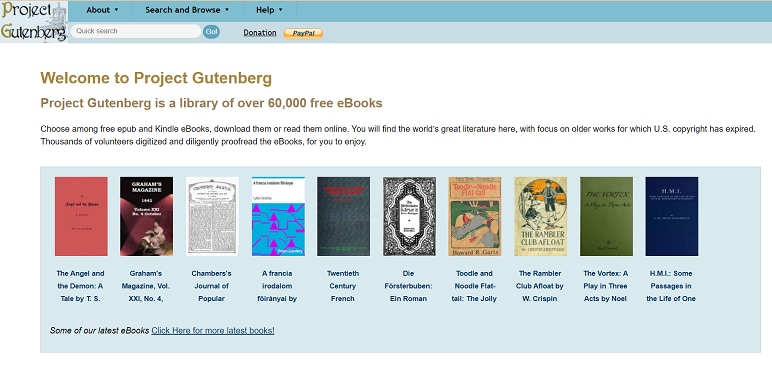
Project Gutenberg is a legendary digital library and online free ebook reader. Founded in 1971 by Michael Hart, it is the oldest digital library in the world. The site hosts over 70,000 free eBooks, primarily focusing on classic literature for which U.S. copyright has expired.
You can read eligible books in your browser as HTML or download available formats such as EPUB and Kindle-compatible files. PDF is not offered for every title. The online reader is simple and lightweight, ensuring that even users on older devices can enjoy classic works from Shakespeare, Dickens, and Twain without downloading heavy software.
2. Glose - Interactive and Social Reading
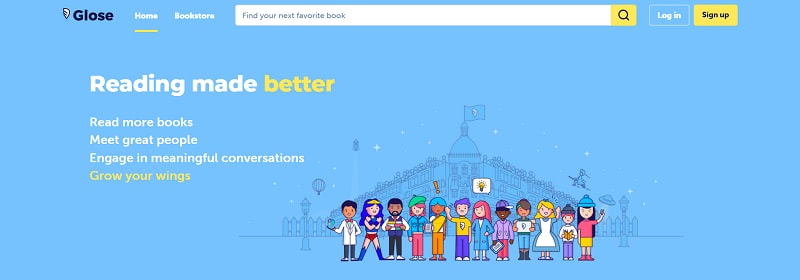
Glose takes a completely different approach by turning the solitary act of reading into a social experience. Glose is an online ebook pdf reader and bookstore that allows you to read books, highlight passages, and leave comments that other readers can see and reply to.
Glose offers over a million free eBooks alongside premium titles. The platform gamifies reading by offering a rewards program—you can unlock achievements by taking on reading challenges and inviting friends. The web-based reader is highly polished, featuring a comfortable Night Mode for late-night reading sessions.
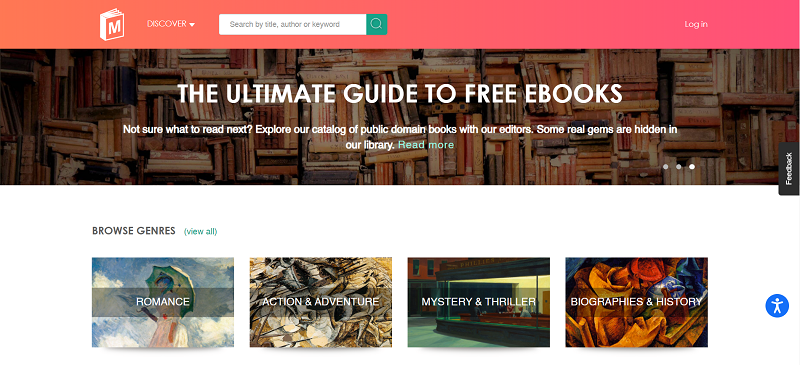
3. manybooks.net - A Hub for Indie and Classic Titles
manybooks.net is a fantastic platform for discovering both classic literature and works from new, independent authors. The site features a built-in online reader that lets you preview or read entire books directly in your browser.
The platform boasts a library of over 50,000 free eBooks. You can browse by genre, author, or language, and the site curates helpful recommendations and user reviews. If you prefer offline reading, you can download titles in PDF and various other formats to use with your preferred ebook and pdf reader.
Part 3: Best Free eBook Reader Apps for Mobile
For reading on the go, a mobile app is essential. A good ereader pdf app will handle pinch-to-zoom smoothly and offer tools to make reading on small screens bearable.
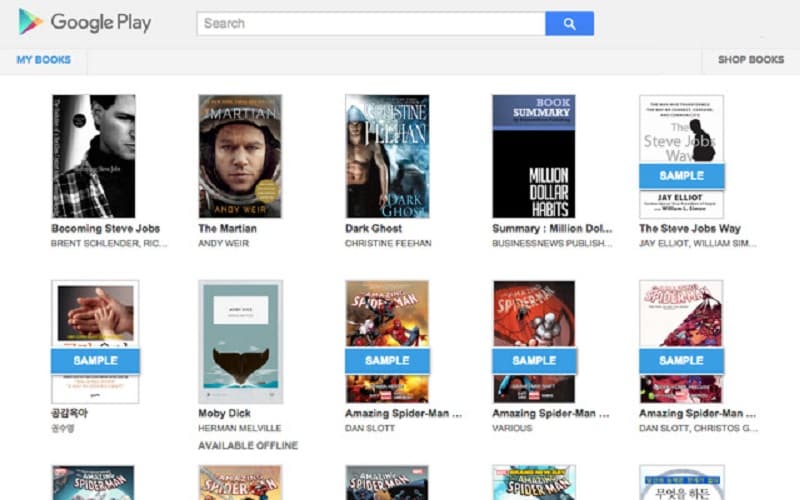
1. Google Play Books - The Best eReader for PDF on Android
For Android users, Google Play Books is a powerhouse. As Google's official reader, it offers access to millions of books, comics, and audiobooks. However, it is also a fantastic pdf ebook reader for your own files.
You can upload personal PDF files directly to your Google Play Books library (up to 1,000 files). Once uploaded, they sync across all your devices. The app offers a beautiful reading interface, complete with a dark mode, offline dictionary support, and the ability to turn pages using your device's volume buttons.
2. Apple Books App for iOS
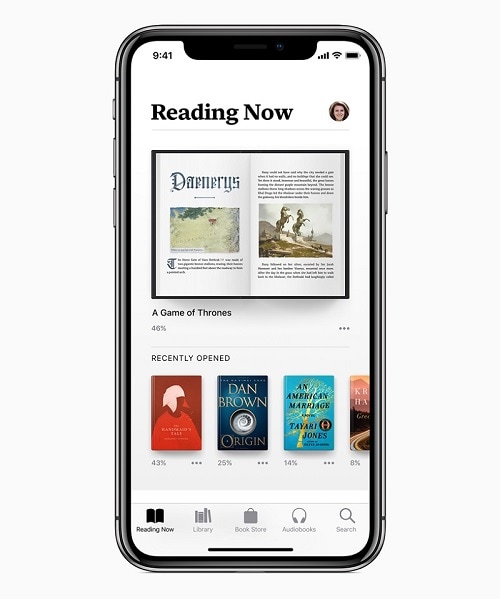
Just as it dominates the Mac ecosystem, the Apple Books app is arguably the best free ebook reader for the iPhone and iPad. The iPad, in particular, is widely considered the ultimate hardware for reading PDFs, and Apple Books takes full advantage of its high-resolution display.
The app tracks your reading habits, allowing you to set daily reading goals. The "Reading Now" tab curates your current books and offers personalized recommendations. For PDFs, the app allows smooth scrolling, zooming, and basic markup using Apple Pencil on the iPad.
3. Kobo Books App - Format Flexibility
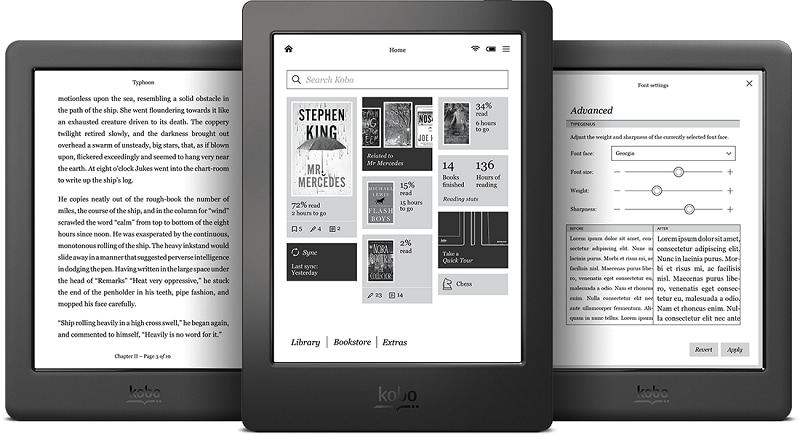
Kobo is Amazon's biggest competitor in the eReader hardware space, but their mobile app is available to everyone. The Kobo devices and Kobo mobile apps do not necessarily support identical file-import and comic formats; confirm the specific app or device before choosing it for PDF, EPUB, CBR, or CBZ files.
The app allows deep customization. You can easily switch between day and night modes, adjust margins, and change font styles (for reflowable text). Kobo also features an elegant bookshelf organization system that keeps your recently read PDFs easily accessible.
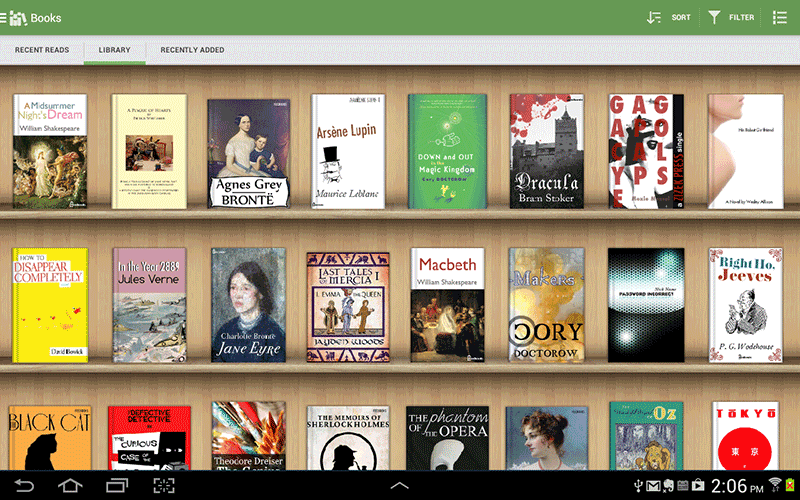
4. Aldiko Book Reader - A Legacy Favorite
Aldiko has been a staple in the Android reading community for years. This pdf book reader allows users to download and organize thousands of books. It is highly regarded for its deep customization options, allowing users to tweak background colors, font spacing, and margins to their exact preferences.
Aldiko supports EPUB, PDF, and Adobe DRM-protected eBooks. It features a virtual bookshelf and allows users to import their own catalogs easily.
PDF vs EPUB: Which Format Is Better for Reading?
| Reading need | EPUB | |
|---|---|---|
| Scanned textbooks, diagrams, comics | Preserves fixed pages and image placement | Depends on whether the title offers a fixed-layout edition |
| Long-form reading on a small phone | Often requires zooming or panning | Reflowable text usually fits the screen |
| Research highlighting and precise page citations | Stable page references, where the file includes them | Locations and pagination can vary by reader |
| Adjustable typography | Limited by fixed page layout | Common in reflowable EPUB readers |
Choose a PDF-focused reader for coursework, scanned pages, and exact-layout documents. For long novels on a small screen, consider an EPUB reader if a licensed EPUB edition is available.
Part 4: What Makes the Best eReader for PDF? (Buying Guide)
When searching for the best ereader for pdf, whether it is hardware or software, you have to understand the nature of the PDF format. Unlike EPUB files, which feature "reflowable" text that adapts to any screen size, a PDF generally preserves page geometry; it can contain selectable text, images, or both.
To ensure the best reading experience, look for these features in your ebook and pdf reader:
- Multiple Viewing Modes: Staring at a bright white PDF background is exhausting. Look for software like PDFelement that offers Dark Mode or sepia-toned filters.
- Annotation Tools: True book lovers interact with their texts. Highlighting, underlining, and adding margin notes are critical features for students and researchers.
- Cross-Platform Syncing: The ability to start reading a PDF on your PC and seamlessly pick up where you left off on your phone is invaluable. Apps like Google Play Books and Kindle excel here.
- Hardware Compatibility: If you prefer physical eReaders (like the Kindle Scribe, Kobo Elipsa, or Boox tablets), ensure your chosen software can easily export or sync PDFs to those devices. Tablets with large screens (10 inches or more) handle fixed-layout PDFs much better than standard 6-inch eReaders.
G2 Rating: 4.5/5 |100% Secure
Part 5. FAQs About PDF eBook Readers
-
Q1. What Is the Best PDF eBook Reader?
The best PDF eBook reader depends on your device and needs. For desktop users (PC and Mac) who want a premium, book-like experience with powerful annotation and translation tools, Wondershare PDFelement is highly recommended. For mobile users, Google Play Books (Android) and Apple Books (iOS) offer seamless cloud syncing and excellent mobile interfaces for free. -
Q2. How Do I Open a PDF as an eBook?
To open and read a PDF as an eBook, you need a dedicated application rather than a basic web browser viewer. Using software like Wondershare PDFelement, simply drag and drop your PDF file into the program. Then, go to the "View" tab and select "Read Mode." This hides the editing toolbars and expands the document to fill the screen, simulating a clean, distraction-free eBook interface. -
Q3. How Do I Read a PDF Like a Book on My Computer?
To replicate the feeling of a physical book on your monitor, open your document in a capable PDF reader. Navigate to the "View" settings and select "Two Page View" (or "Facing Pages"). This places the pages side-by-side. Engaging a full-screen "Read Mode" alongside this two-page layout will make reading your PDF feel exactly like reading a traditional open book. -
Q4. Can hardware eReaders handle PDFs well?
Historically, small 6-inch E-ink eReaders struggled with PDFs because the text would become too small to read, and zooming on E-ink is slow. However, modern, larger eReaders like the Kindle Scribe, Kobo Elipsa 2E, and Onyx Boox series are specifically designed for PDFs. They feature 10-inch screens that display PDFs at their native size and include stylus support for direct on-page annotations.