

In this article
Whether you are a student submitting an assignment, a freelancer handling contracts, or a business professional managing daily paperwork, finding the best pdf editor is crucial for your productivity. PDFs are designed to look the same on any device, which makes them incredibly difficult to edit without the right software.
In this comprehensive guide, we have tested and compiled the top options available today. From premium desktop software to the best free pdf editor tools online, we will help you find the perfect match for your workflow.
How to Choose the Best PDF Editor for Your Needs
Before diving into the list, it is important to understand what makes a PDF editor stand out. Not all tools are created equal. Here are the key factors to consider:
- Editing Capabilities: Can you modify existing text and images, or does it only allow you to add text boxes on top of the page?
- Platform Support: Do you need a pdf editor free download free pdf editor software for Windows, a dedicated Mac app, or an online tool you can access anywhere?
- OCR (Optical Character Recognition): If you scan physical documents, OCR is necessary to turn those images into searchable and editable text.
- Security: Look for features like password protection, redaction, and secure digital signatures if you handle sensitive data.
- Budget: While some tools cost hundreds of dollars a year, others offer lifetime licenses or completely free basic versions.
Quick Comparison Table: Top PDF Editors
| Software | Best For | Platform | Price (Starting) | OCR |
|---|---|---|---|---|
| PDFelement | Best Overall Value | Win, Mac, iOS, Android | ~$79.99/year | Yes |
| Adobe Acrobat | Advanced Pros | Win, Mac, Web | ~$239.88/year | Yes |
| Foxit PDF Editor | Business Use | Win, Mac, Web | ~$139.99/year | Yes |
| Sejda | Free Online Edits | Web | Free (with limits) | No |
| HiPDF | All-in-One Online | Web | Free | Yes (Paid) |


 G2 Rating: 4.5/5 |
 100% Secure
Part 1: Best PDF Editors (Offline & Desktop Software)
If you handle large documents, require high security, and need advanced features like OCR, downloading a dedicated desktop application is your best bet.
1. Wondershare PDFelement (Best Overall Value)
Wondershare PDFelement consistently ranks as a top choice for users seeking an Adobe alternative without the hefty price tag. It is an outstanding pdf editor free download free pdf editor software for Windows and Mac that offers a seamless, intuitive interface resembling Microsoft Word.
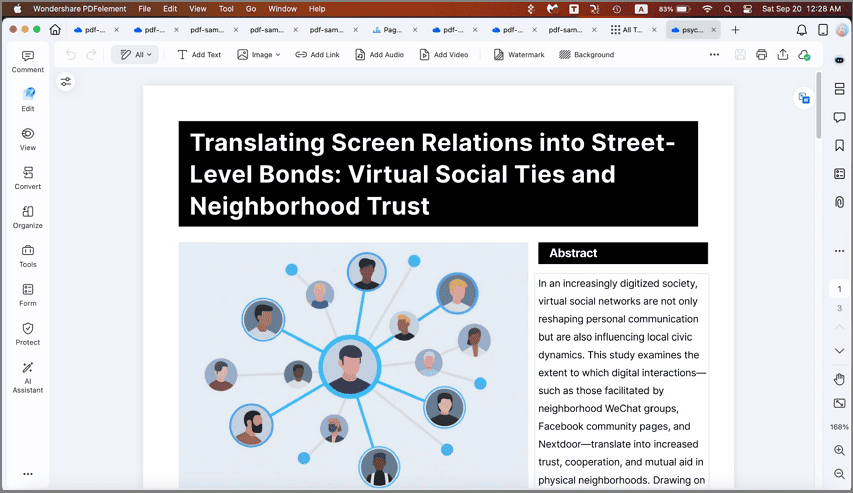
PDFelement allows you to manipulate text, images, and backgrounds effortlessly. Its powerful OCR engine recognizes text in multiple languages, turning scanned paperwork into fully editable files. Furthermore, it integrates seamlessly with Wondershare Document Cloud, giving you up to 100GB of storage.
G2 Rating: 4.5/5 |100% Secure
2. Adobe Acrobat Pro (Best for Advanced Professionals)
Adobe invented the PDF format, so it is no surprise that Adobe Acrobat Pro remains the industry standard. It is the most robust PDF editor on the market, catering primarily to enterprise users and advanced professionals.
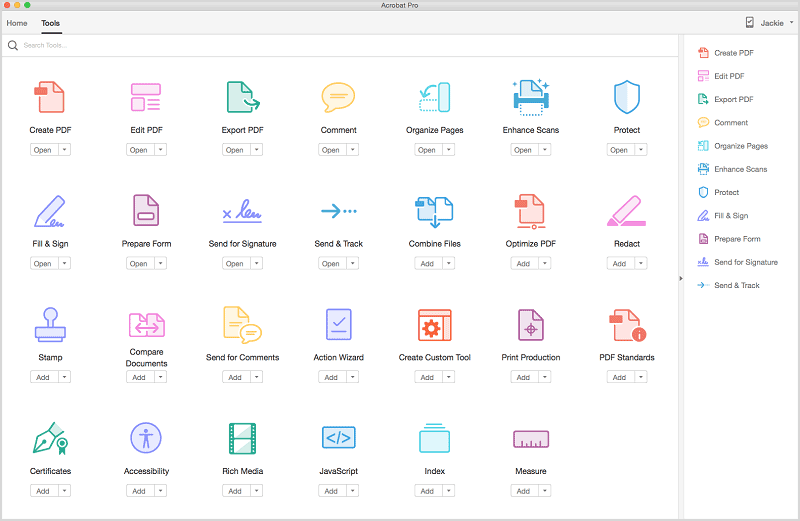
Acrobat offers flawless text editing, advanced print production tools, and deep integration with other Adobe Creative Cloud apps. Its OCR is highly accurate, and its collaborative features are unmatched.
3. Foxit PDF Editor (Best for Enterprise & Business)
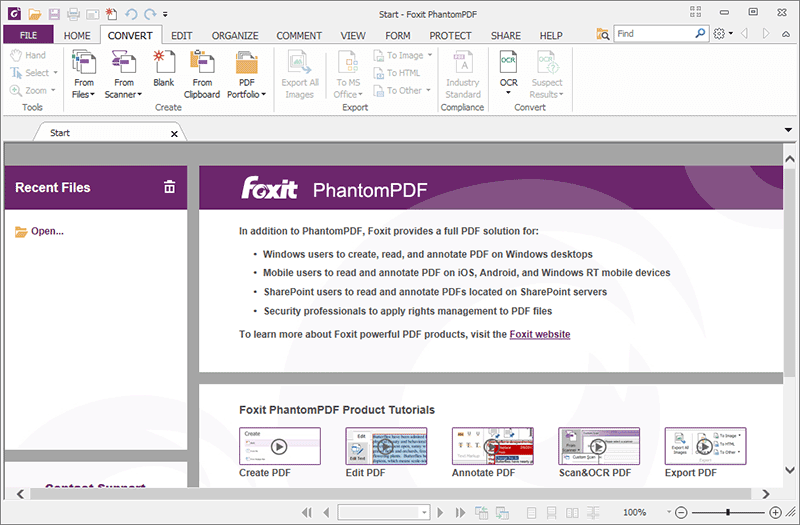
Foxit PDF Editor is a powerhouse designed for business environments. It is known for its speed, lightweight installation, and strong security features, making it a favorite for IT departments to deploy across large teams.
4. PDF-XChange Editor (Best Lightweight Windows Tool)
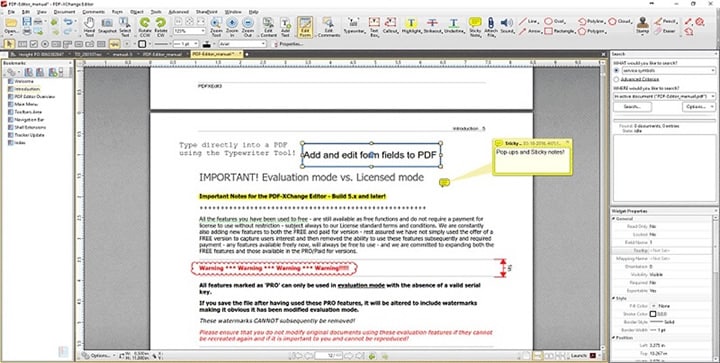
For Windows users who need a fast, feature-rich editor that doesn't consume system resources, PDF-XChange Editor is a fantastic choice. It offers a surprising amount of functionality for free, though premium features require a paid license.
5. PDFsam Basic (Best for Organizing & Splitting)
If your primary need is simply organizing pages rather than editing text, PDFsam (PDF Split and Merge) Basic is a top open-source choice.

Part 2: Best Free PDF Editors for Mac
Mac users have unique needs, and fortunately, there are excellent tools tailored specifically for macOS.
1. Wondershare PDFelement for Mac
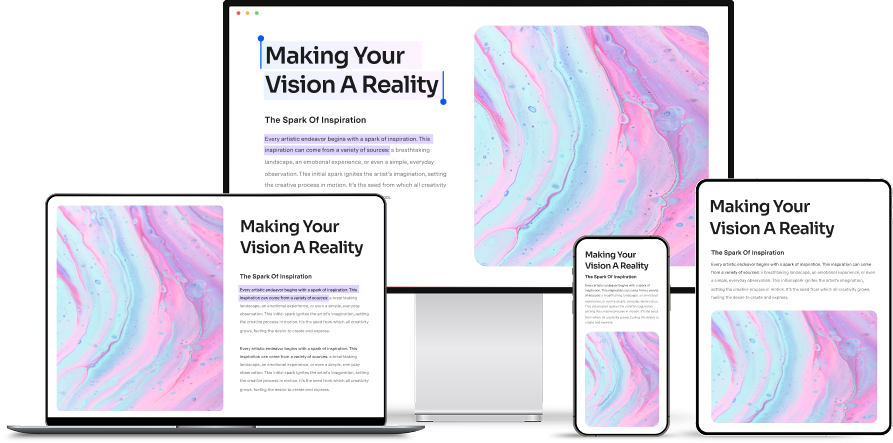
The Mac version of PDFelement is designed to blend perfectly with the macOS aesthetic. It offers the exact same robust feature set as its Windows counterpart, including OCR, form filling, and advanced editing, but optimized for Apple Silicon processors.
G2 Rating: 4.5/5 |100% Secure
2. Apple Preview (Best Built-in Tool)
Every Mac comes with Preview pre-installed. While it is primarily a viewer, it is surprisingly capable as a basic PDF editor.
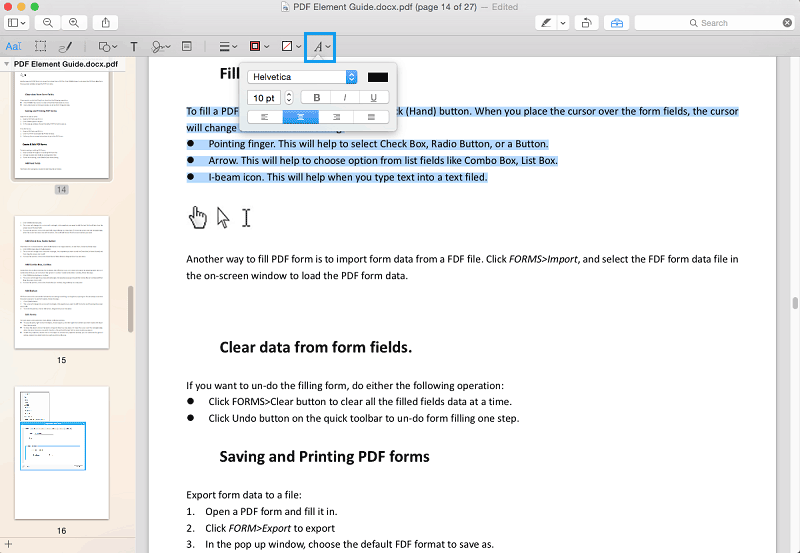
You can use Preview to highlight text, add text boxes, insert shapes, and sign documents using your trackpad. However, it cannot alter the existing text or images within a PDF.
Part 3: Best Free PDF Editors Online
If you don't want to install software, web-based tools are incredibly convenient. Here is a look at the best free pdf editor platforms online.
1. HiPDF (Best Free Online PDF Editor)
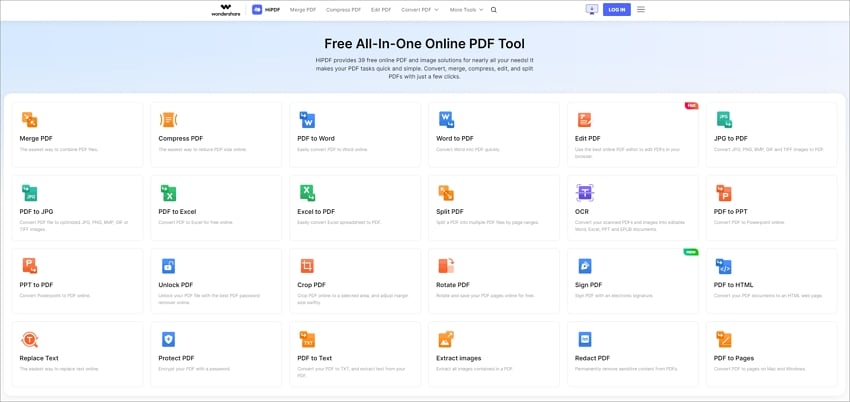
HiPDF is an all-in-one web suite that offers a massive collection of PDF tools. Whether you need to compress, convert, merge, or edit a PDF, HiPDF handles it directly in your browser.
2. Smallpdf (Best for Quick Compressions)
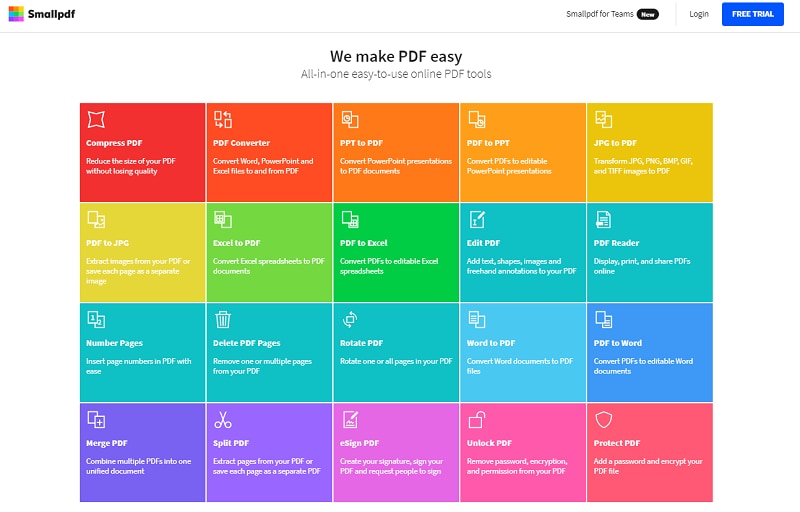
Smallpdf is famous for its colorful, user-friendly interface. It excels at compressing heavy PDF files for email attachments and offers a solid suite of editing and conversion tools.
3. Sejda PDF Editor (Best for Simple Edits without Watermarks)
Sejda stands out because it allows actual text editing in its free tier without adding a watermark—a rarity in the online PDF world.

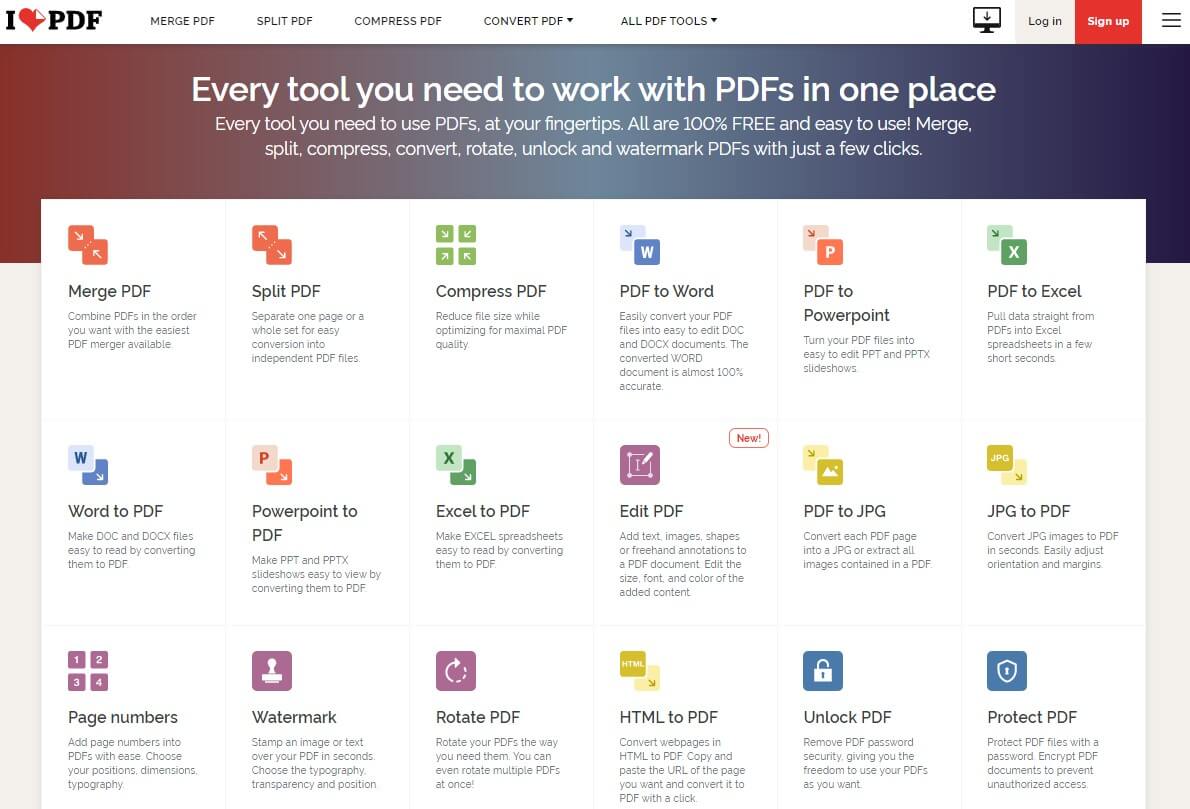
4. iLovePDF (Best for Batch Processing)
iLovePDF is a fan favorite for students and office workers needing quick PDF manipulations. It offers great batch processing tools for merging, splitting, and converting documents.
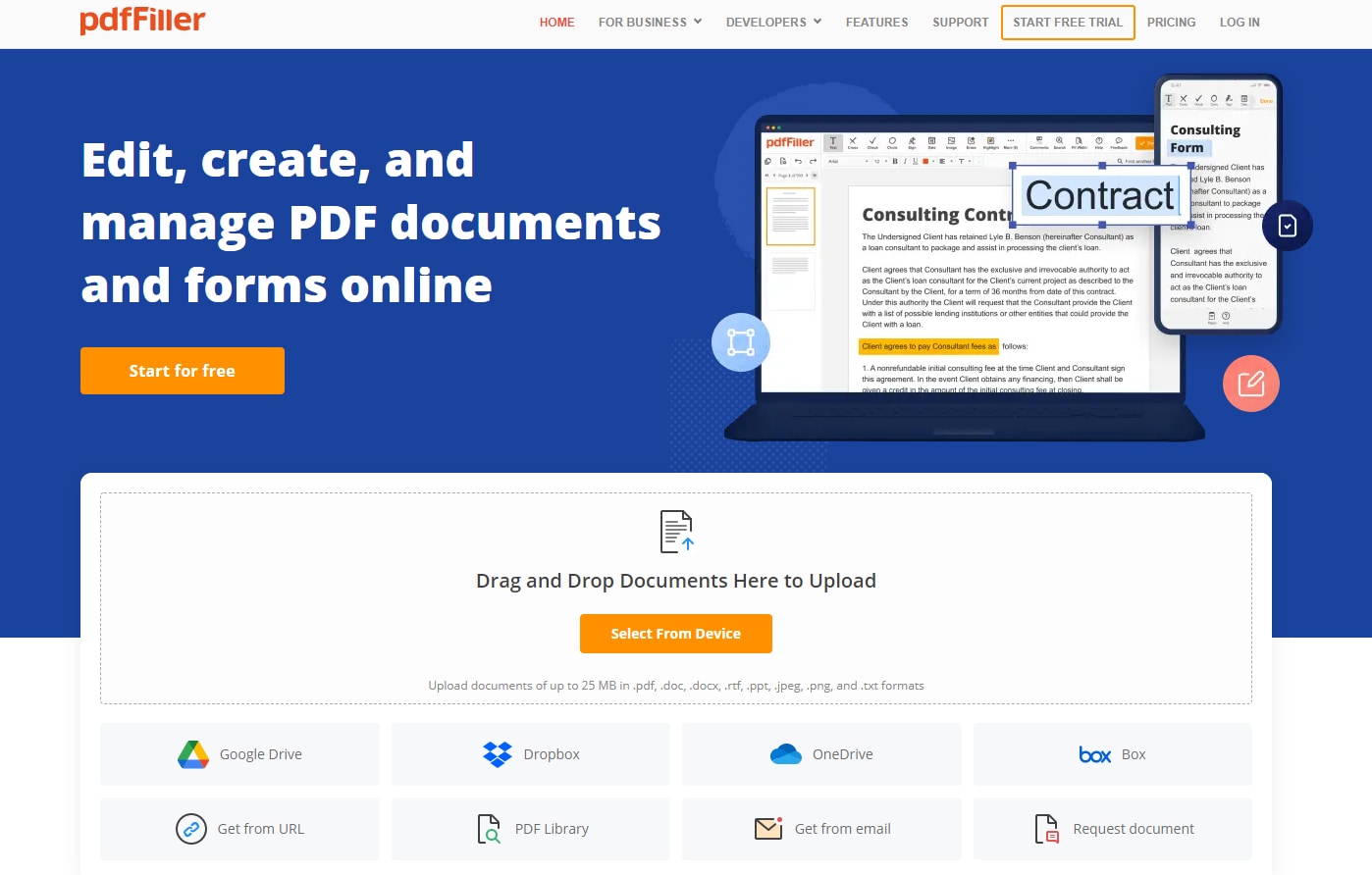
5. pdfFiller (Best for Business Forms)
pdfFiller is more than just an editor; it is a document management platform geared toward creating, editing, and managing fillable forms and contracts.
Part 4: Frequently Asked Questions (FAQ)
-
Is there a completely free PDF editor?
Technically, finding a 100% free PDF editor with full capabilities (like editing existing text) is rare. Open-source tools like PDFsam are free but lack text editing. Online tools like Sejda allow free text editing but have hourly usage limits. For comprehensive features without limits, a paid tool like PDFelement is recommended. -
What is the difference between a PDF reader and a PDF editor?
A PDF reader (like Adobe Acrobat Reader) only allows you to view, print, and sometimes highlight or add comments to a file. A PDF editor allows you to change the actual content of the file, including modifying paragraphs, swapping images, creating fillable forms, and converting file formats. -
Does Google have a PDF editor?
No, Google does not have a dedicated PDF editor. You can view PDFs in Google Drive, and you can open a PDF using Google Docs. However, opening a PDF in Google Docs converts it to a text document, which often breaks the original formatting and layout. -
Is it safe to use online PDF editors?
Reputable online PDF editors like HiPDF and Smallpdf use high-level SSL encryption and automatically delete your files from their servers within 1-2 hours. However, if your document contains highly sensitive legal or financial information, it is always safer to use offline desktop software.
Conclusion
Choosing the best pdf editor ultimately depends on your daily workflow. If you are a professional needing advanced text editing, OCR, and document management, Wondershare PDFelement provides the best balance of premium features and affordability. For quick, on-the-go edits without downloading software, online platforms like HiPDF and Sejda are fantastic options. Assess your budget, platform, and editing needs, and use the free trials available to find the perfect software for you.




