

Reading 400 pages to judge a book can waste valuable time and effort. An AI book summarizer can reduce the burden, but tools work in distinct ways. Some accept your own books, while others provide summaries from fixed catalogs instead.
Only upload-based tools can summarize the most specific book you want examined. Book length creates another problem because upload and context limits can block processing. This guide compares 8 tools across inputs, outputs, limits, strengths, and ideal uses.


 G2 Rating: 4.5/5 |
 100% Secure
In this article
Part 1. What an AI Book Summarizer Does
AI book tools fall into distinct categories that serve different book summary needs. Upload tools process files you provide and create summaries based on their contents. Catalog services provide prepared summaries for selected books available within their existing libraries.
A book summary generator can process manuscripts, textbooks, and other supported uploaded documents. Your choice depends on whether you need custom uploads or prepared book summaries instead.
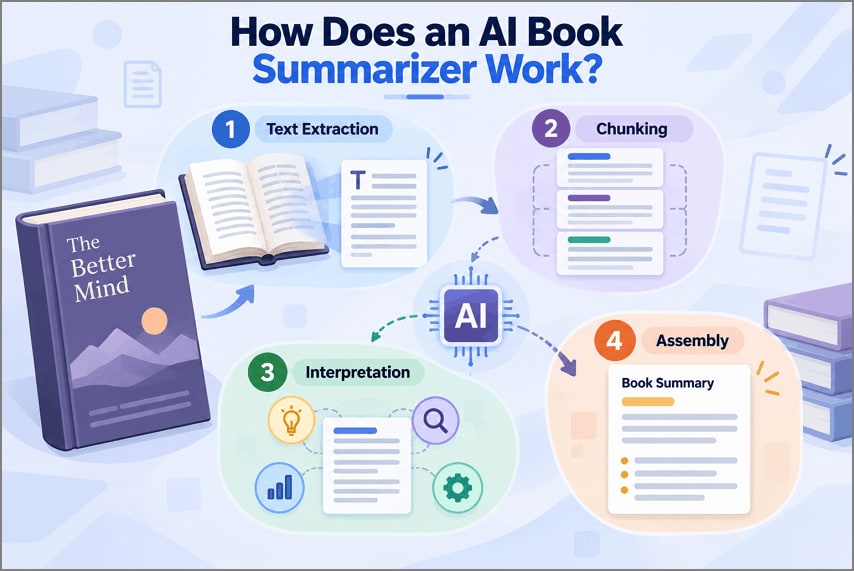
How Does an AI Book Summarizer Work?
Now, let’s examine how AI book summarizers process content before producing useful book summaries:
- Text Extraction: The tool reads available text, chapters, headings, and other document elements for processing.
- Chunking: Longer books are divided into smaller sections that fit within the system limits.
- Interpretation: Each section is examined for main ideas, arguments, evidence, themes, and supporting details.
- Assembly: Processed sections are combined into one clear summary covering the book's main content.

Part 2. The Best AI Book Summarizers at a Glance
Choosing an AI book summarizer requires comparing more than the quality of summaries. Formats, file limits, pricing, and features can determine which tool fits your needs. Before exploring each option, let's compare their key differences in the table below:
| Tool | Best For | Input | Limits | Price |
| Gemini Notebook | Cited, source-grounded reading | PDF, DOCX, EPUB, web, audio, images | 500,000 words/source; 200MB/file | Free tier available |
| Claude | Long books and detailed instructions | PDF, DOCX, EPUB, text, images | 30MB/file; up to 20 files/chat | Free tier available |
| Scholarcy | Academic books and research | PDF, articles, chapters | 11MB free; 50MB premium | From around $10 monthly |
| NoteGPT | Turning books into study material | PDF, documents, eBooks, web, video, audio | 1 Basic Quota/10,000 words | Freemium |
| Noiz | A fast summary with no sign-up | PDF upload | No file-size or usage limits advertised | Free |
| TLDR This | Articles rather than full books | URLs, text, PDF, DOC, DOCX | 25MB/file for PDF chat | Free; paid from $4/month |
| Blinkist | Prepared summaries and AI content summaries | Catalog, PDFs, documents, links | AI uploads require Pro | Free Basic; paid Premium/Pro |
| PDFelement | Book summarizing and source-based study | PDF, scanned documents, other files, YouTube captions, pasted text, cloud files | Paid plan for full AI | Freemium |
Part 3. 8 Best AI Book Summarizers in 2026
Book formats, reading goals, and tool limits can shape your final choice considerably. Each AI that summarizes books offers different strengths, features, and restrictions worth examining.
1. Gemini Notebook
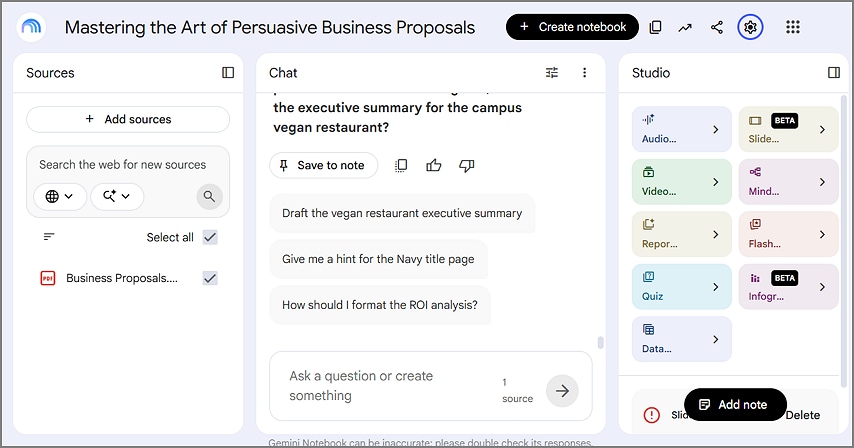
Gemini Notebook, renamed from NotebookLM, is Google's source-grounded research and summarization workspace tool. Users can summarize uploaded books and ask questions based on their selected source material. Its chat stays grounded in notebook sources instead of drawing from general web knowledge.
2. Claude
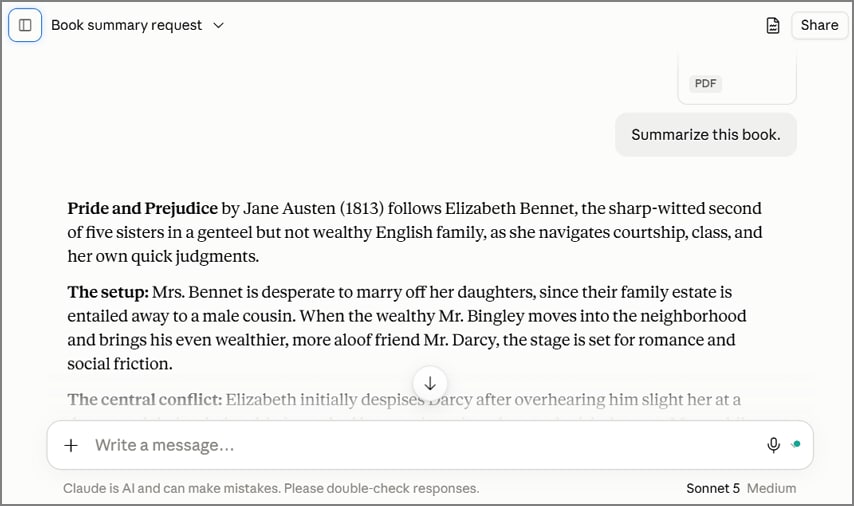
Claude accepts books as direct uploads for summarization, analysis, and question-based exploration tasks. Detailed prompts can control summary structure, chapter coverage, terminology, and desired depth well. Follow-up conversations let readers explore arguments, characters, themes, or sections after summarization ends. Its general-purpose interface lacks dedicated book workflows found in specialized reading platforms.
3. Scholarcy
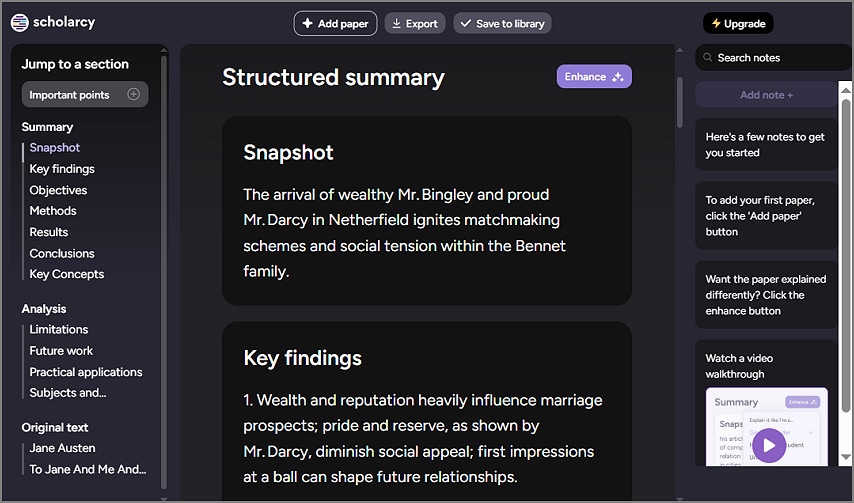
Built for academic reading, Scholarcy converts research papers and book chapters into flashcards. Its book summary generator extracts key terms, claims, and findings from source text. Users can adjust enhanced summaries for school, undergraduate, researcher, or general-reader reading levels.
4. NoteGPT
NoteGPT turns uploaded books into concise summaries designed for reading and study tasks. Readers can save generated summaries as notes before creating visual mind maps afterward. It also supports AI conversations for asking questions about processed book content afterward.
5. Noiz
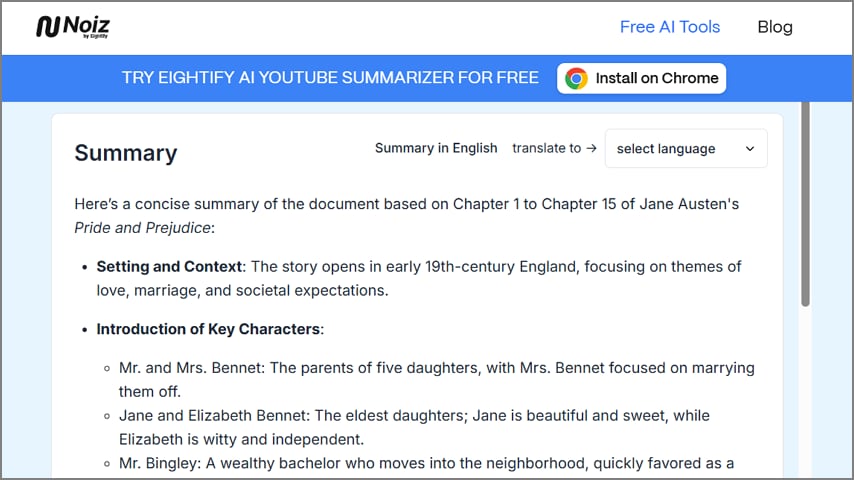
An AI book summarizer that supports PDF uploads can help readers understand books faster. Noiz provides several summary formats for adapting book content to different reading needs. Readers can summarize individual chapters when they do not need the entire book covered.
6. TLDR This
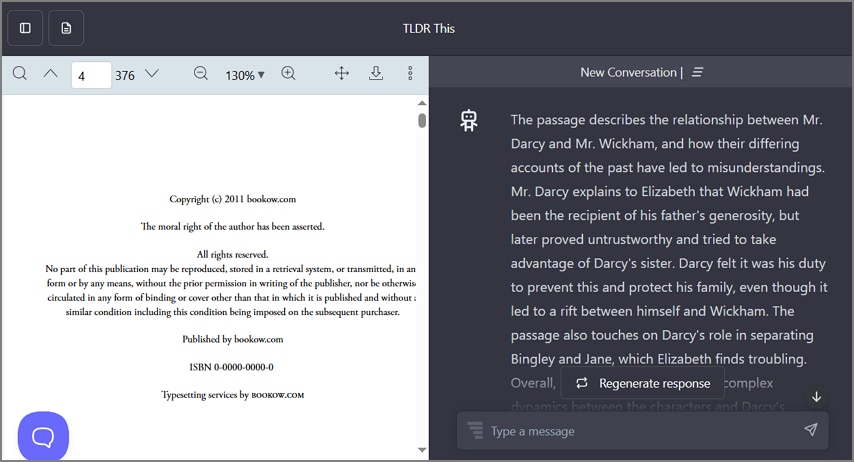
Long books are not TLDR This's main strength, since its design favors shorter content. Paste text, upload supported documents, or enter webpage links to start the summarization process. For browser reading, its extension turns lengthy online articles into more digestible summaries.
7. Blinkist
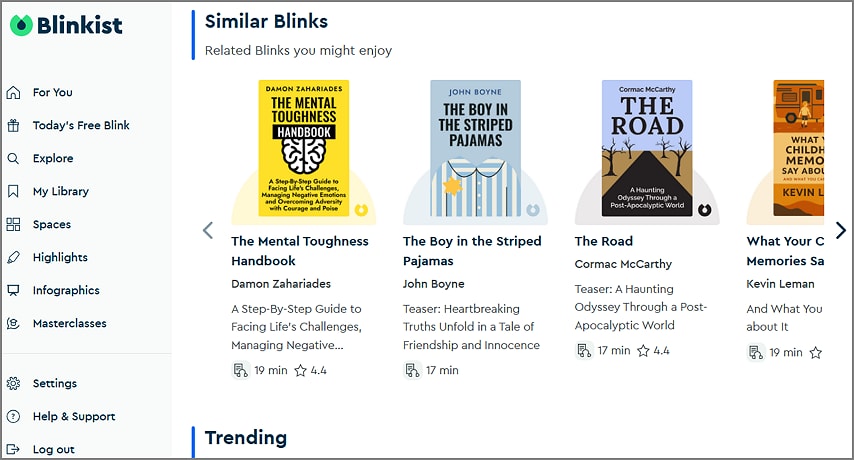
For readers seeking AI that summarizes books, Blinkist combines prepared summaries with AI tools. Its core library turns nonfiction titles into short Blinks available through text and audio. Blinkist AI expands the service beyond its catalog by processing user-provided content for summaries.
8. Wondershare PDFelement
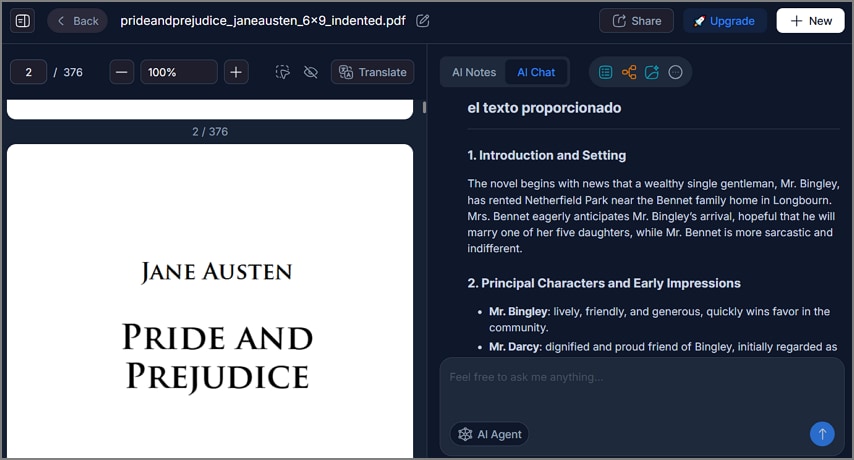
Long books and scattered research files can make source-based review difficult without organization tools. Here, PDFelement serves as an AI book summarizer for PDFs, including scanned book documents. Built-in OCR converts scanned book pages into searchable text before users request AI summaries.
AI Space combines uploaded sources into knowledge bases for cross-document questions and content generation. Each AI Space supports 50 files, with 260 MB allowed per individual file. Source references connect AI answers with supporting documents, helping readers check generated information themselves.
How to Summarize a Book with PDFelement
PDFelement offers 2 book summarization methods for individual files and larger source collections. Let’s explore both methods and see how each approach handles book summaries.
Method 1. Chat With a Single Book
Step 1. Open the PDF in PDFelement
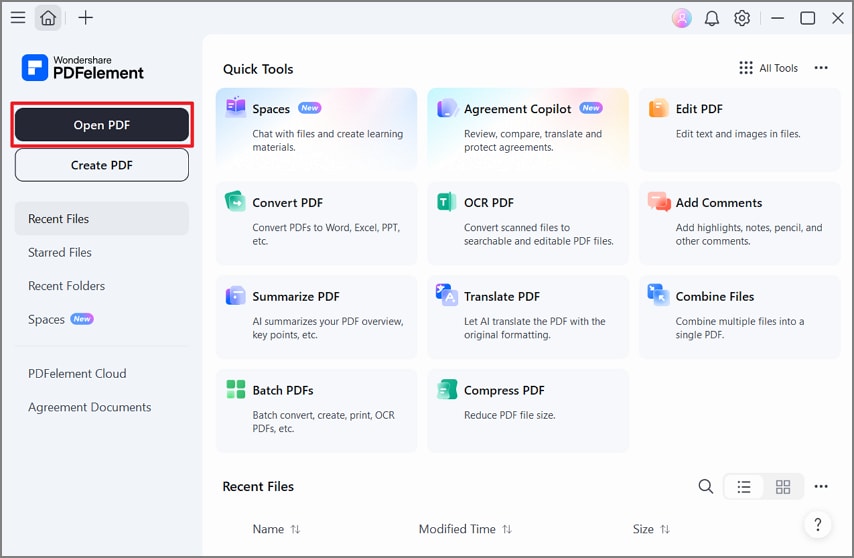
Once you open PDFelement, press “Open File” to import a PDF book.
Step 2. Select the Chat Feature
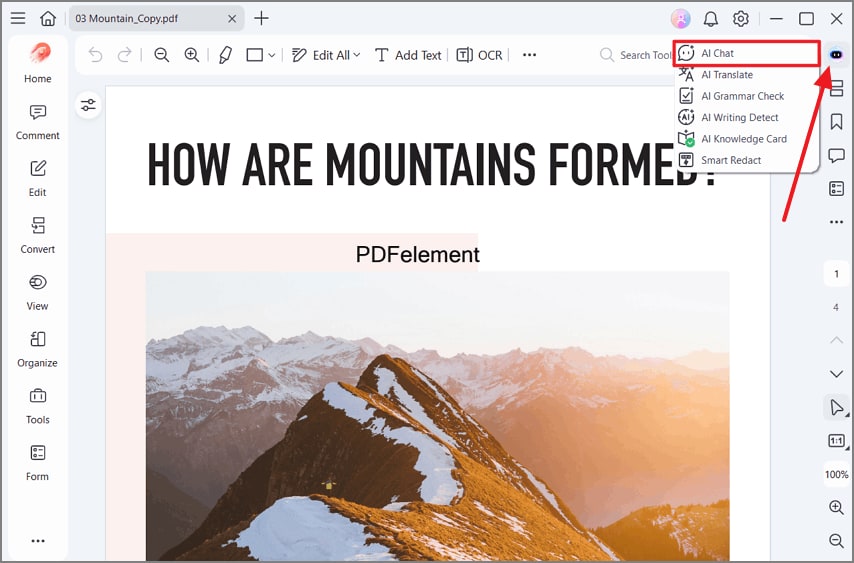
Next, press “AI Sidebar” in the top-right corner and choose “AI Chat.”
Step 3. Ask the Chat for a Summary
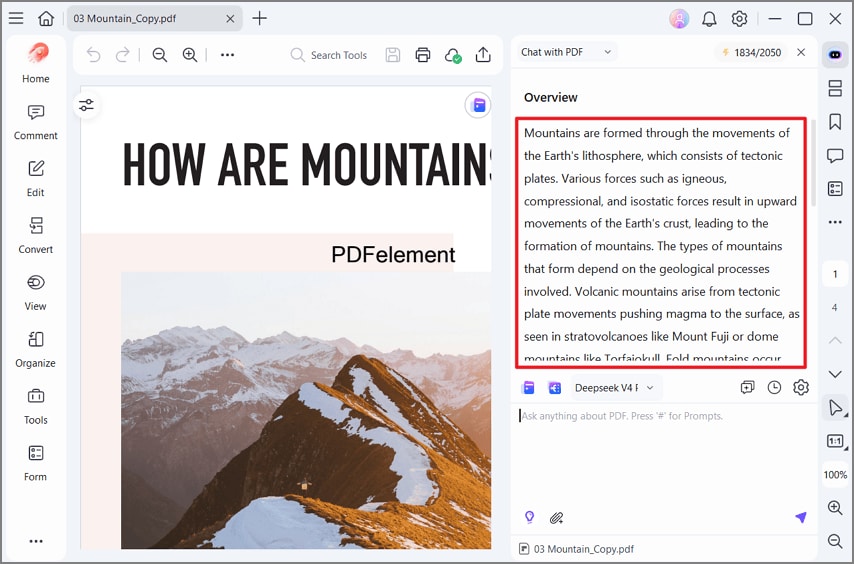
Afterward, enter a prompt like “Summarize this book” and press “Send” to get an instant summary. Review the summary and copy it for future use.
Method 2. Build a Space for a Reading List
Step 1. Create a New Space in PDFelement
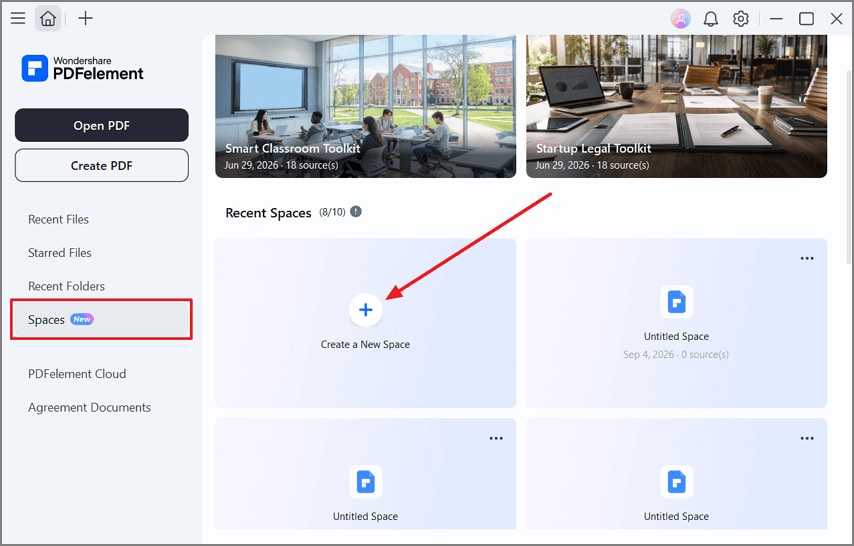
Once you enter PDFelement, press the “Spaces” option in the left-side panel and choose “Create a New Space.”
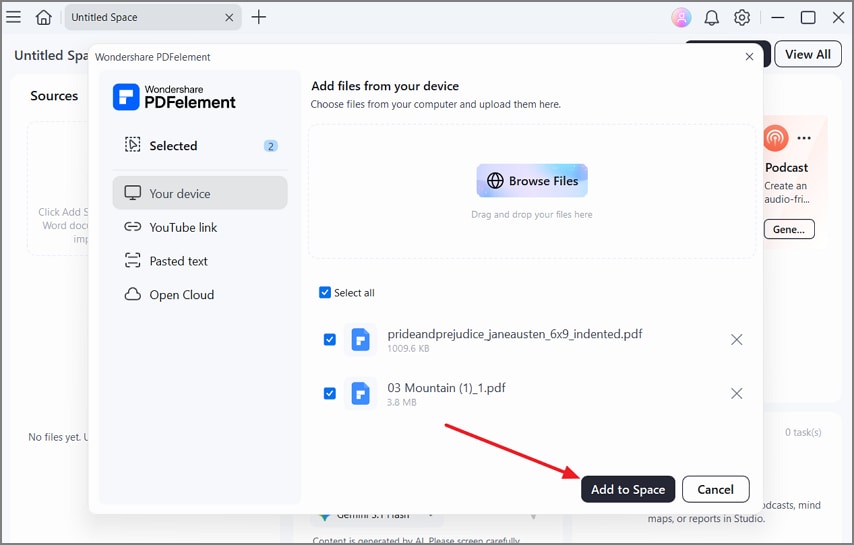
Step 2. Add Your Books as Sources
Upload multiple titles into the same space using the “Add Sources” option. Once done, press “Add to Space” to add the books.
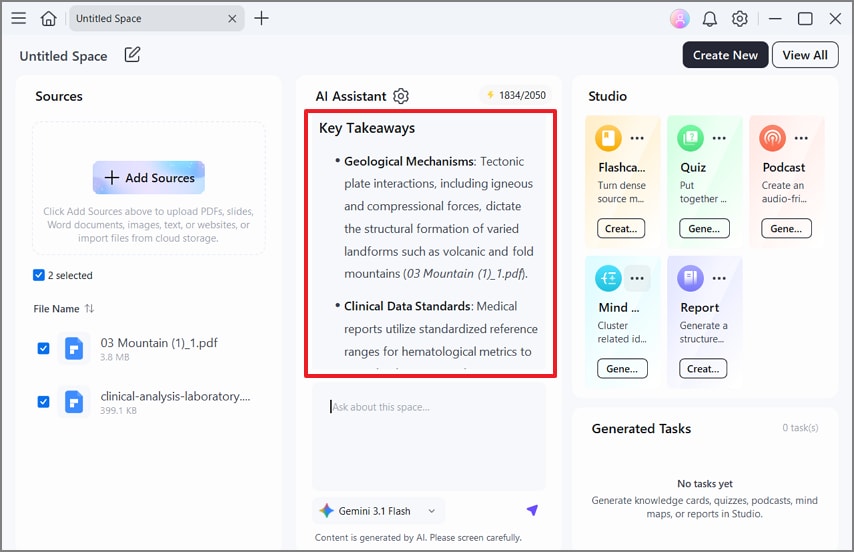
Step 3. Get a Summary
Next, review the automated overview and ask the chat to provide a detailed summary.
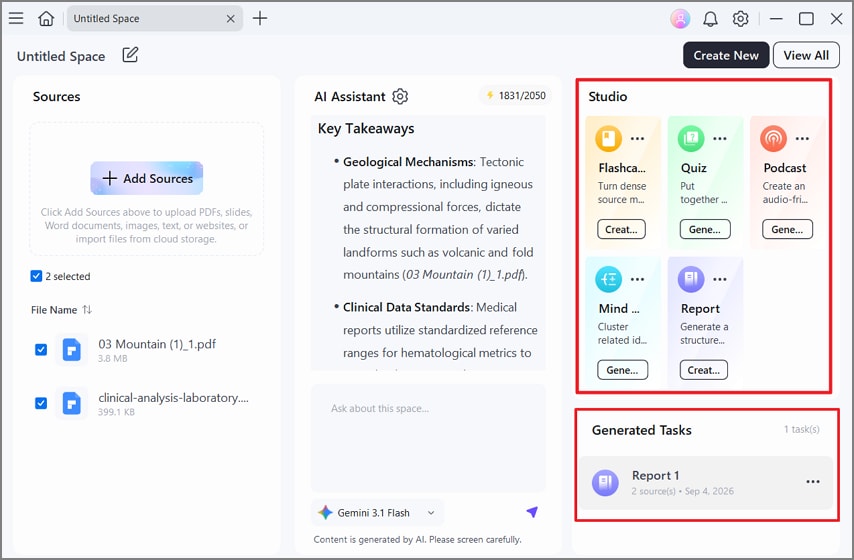
Step 4. Generate Study Material
Choose a study format from the “Studio” section and generate it. Once done, find the study material and download it from the “Generated Tasks” section.
G2 Rating: 4.5/5 |100% Secure
Part 4. How to Choose the Right AI Book Summarizer
Choosing the right book summary generator requires checking features against your reading needs. Let’s examine 6 key criteria that can guide you toward the right choice:
- Accuracy: Test summaries using book chapters you already understand well. Check whether important ideas remain correct without misleading changes. NIST warns that generative AI can present false information with convincing confidence.
- Source References: Source references help readers trace answers back to documents. Choose tools showing supporting passages for easier fact-checking.
- File Support: Check whether your book format works before choosing tools. Some platforms reject EPUB, protected PDFs, or scanned files.
- Speed: Long books often require more processing time than articles. Fast results may not cover the complete book.
- Cost: Compare free usage limits before paying for any plan. Long books can consume available credits within fewer summaries.
- OCR and Scanned PDFs: Scanned books require text recognition before AI can summarize. Adobe confirms scanned PDFs contain image data until OCR creates searchable text. Built-in OCR removes the need for separate conversion tools.
Frequently Asked Questions
Can AI summarize an entire book?
Many AI tools process long books in sections before combining their summaries. Results depend on context limits, book length, and the chosen tool itself.
Can AI summarize a book PDF?
Most summarizers accept text-based PDFs and create summaries from their contents. Scanned PDFs may require OCR before their text becomes available for processing.
Is an AI book summary accurate?
An AI that summarizes books can capture main ideas but still make mistakes. Check names, figures, quotations, and important claims against the original book source. Google advises grounding AI responses to reduce factual inaccuracies and unsupported information.
Can I generate a chapter-by-chapter book summary?
Many tools can create separate summaries for chapters within supported book files. Chapter-based prompts can keep each section focused on its own content better.
Final Takeaway
To conclude, choosing an AI book summarizer depends on your source, format, and purpose. Upload tools suit owned books, while catalog services work well for available published titles. File limits, OCR support, source references, and costs should guide your final decision. For PDF books and source-based study, PDFelement offers a strong option worth considering.
G2 Rating: 4.5/5 |100% Secure




