

A rider is an addition to a contract. It adds details or changes without needing to rewrite the whole contract. This is handy because it lets people update or specify terms easily. Contract riders are crucial because they allow flexibility. They can adjust contracts to fit new situations or needs without redoing the agreement.
For example, imagine someone renting an apartment decides to get a pet. A pet rider can be added to the original lease agreement. This rider will set rules about pets without changing the other lease terms. Another example is in business. A company might use a rider to change payment terms based on new project goals. Riders make it easy to adapt contracts as needs change, keeping the original document intact and clear.
In this article
A contract rider is a separate document attached to an agreement to add, clarify, or modify specific terms without rewriting the entire contract. Once properly agreed and executed, the rider is read together with the main agreement. “Rider,” “addendum,” and “amendment” are sometimes used differently by industry, so the controlling question is what the document actually changes and how the parties approved it—not the label alone.
Part 1. Understanding Contract Riders
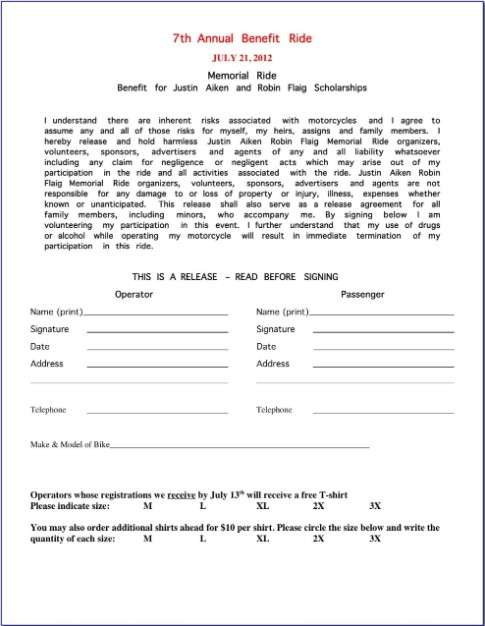
A 'rider' is a special tool used in contracts. It adds specific terms to agreements like government, lease, and real estate contracts. In government contracts, a rider might specify extra rules for a project. In a lease, a rider could add terms about pet ownership. In real estate, a rider might include special conditions for a property sale.
Riders are similar to amendments and addendums but have some differences. An amendment changes the original contract terms. It modifies what was already agreed upon. An addendum, like a rider, adds new information. However, an addendum often includes additional details that were not initially considered. A rider usually deals with specific aspects of the agreement that both parties want to outline more clearly.
Understanding these terms helps people know exactly how to change or detail their contracts. Riders, amendments, and addendums are all useful tools. They make sure that contracts stay up-to-date and reflect what everyone agrees on. This makes contracts more clear and specific, which helps everyone involved.
Examples of Contract Riders
Common examples include lease riders for pets or property rules, insurance riders that alter coverage, employment riders covering special obligations, and entertainment riders setting technical or hospitality requirements. Because riders can materially change rights and duties, review the rider together with the base contract and check for conflicts, precedence clauses, dates, and signatures.
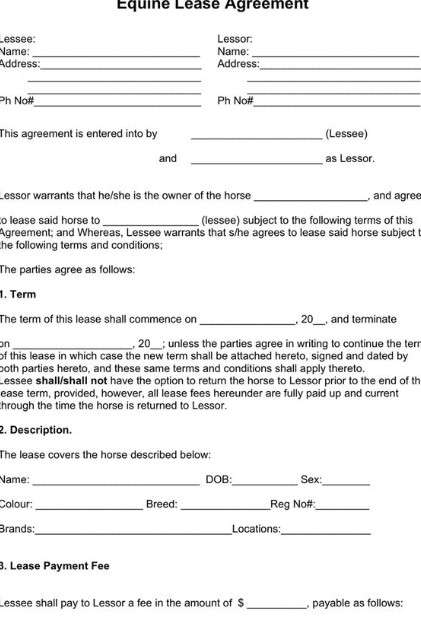
Contract riders come in various forms, tailored to specific industries and needs. Here are examples of different types of riders:
- Lease Riders: These are used in rental agreements. For instance, if a tenant wants to live with a pet, the landlord might add a pet rider. This rider sets rules about pets, like size limits or extra fees. It allows the landlord to control the property while accommodating the tenant's needs.
- Legislative Riders: These are added to bills or laws in government settings. Often, a legislative rider might not relate directly to the main law but is added to pass alongside it. For example, a rider could be tacked onto a budget bill to fund a separate project that might not pass on its own. This practice can be controversial as it might be used to pass laws that wouldn’t succeed through regular legislative processes.
- Insurance Policy Riders: Riders adjust the policy to fit the insured's needs. For example, someone with a life insurance policy might add a critical illness rider. This rider provides the insured with a lump sum if they are diagnosed with certain illnesses listed in the rider, which are not covered under the standard policy.
- Real Estate Riders: Riders can address specific contingencies or conditions in real estate transactions. For example, a real estate purchase agreement might include a rider specifying that the sale is contingent upon the buyer obtaining financing within a certain timeframe.
Let's consider a hypothetical example in real estate. Imagine a buyer interested in a home with an existing solar panel installation. A solar panel rider could be added to the real estate purchase contract. This rider would detail responsibilities like maintenance and warranties for the solar panels, ensuring buyer and seller understand their obligations regarding this unique home feature.
Part 2. Use of Wondershare PDFelement in Contract Rider
Software can help compare versions, search clauses, summarize long language, or flag terms for review, but it does not replace legal advice. For V13 workflows, PDFelement's Agreement Copilot can assist with contract review and clause explanation while keeping the final interpretation and approval with the user or qualified counsel.

Wondershare PDFelement - PDF Editor Wondershare PDFelement Wondershare PDFelement is a powerful tool for managing contract riders, especially with its online features. Here’s how to use these features to create and handle riders, from drafting to securing e-signatures.


 G2 Rating: 4.5/5 |
 100% Secure
Drafting and Organizing
Start by drafting your rider. Suppose you already have a document in Word, Excel, or even images like JPG. In that case, you can easily convert these into PDF format using PDFelement’s online tools. Choose the appropriate conversion tool, such as Word to PDF, Excel to PDF, or JPG to PDF. This helps in maintaining a uniform format for your contracts and riders.
Merging Documents
Often, you may need to combine the original contract with one or more riders. PDFelement’s Merge PDF tool lets you seamlessly combine these documents into a single PDF file. This is especially useful when you want to keep all related documents in one place, making it easier to review and share.
Using AI and Templates
PDFelement also offers AI tools and templates, which can help automate the creation of riders by suggesting standard clauses and formatting based on your needs.
Editing and Customizing
You might need further edits or adjustments once your rider is in PDF format. PDFelement allows you to crop PDF pages, adjust or add text, and modify other elements directly in your browser. This flexibility is crucial when customizing each rider to fit specific contractual needs.
Compressing for Easy Sharing
High-quality PDFs can be large files. If you must email your combined contract and riders, use PDFelement’s Compress PDF tool. This reduces the file size without losing much quality, ensuring that emails are sent quickly and recipients don’t struggle with large downloads.
Getting Signatures
Finally, securing e-signatures is straightforward with PDFelement. Once your rider is ready, you can send it directly to all relevant parties to sign electronically. This feature speeds up the process and adds a layer of legality, as e-signatures are binding.
Part 3. How to Add a Rider to a Contract Using PDFelement
Adding a rider to a contract using Wondershare PDFelement is a straightforward process. Here's a step-by-step guide to help you draft and incorporate a rider effectively while ensuring it's legally enforceable.
G2 Rating: 4.5/5 |100% SecureStep 1 Open Your Contract in PDFelement
First, upload your existing contract into PDFelement. If your contract is not already a PDF, convert it using the appropriate tool, like Word to PDF or JPG to PDF.
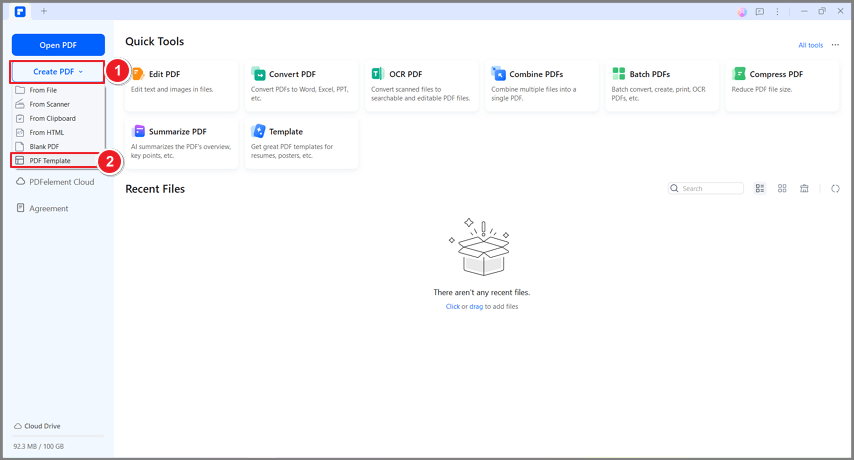
Step 2 Draft the Rider
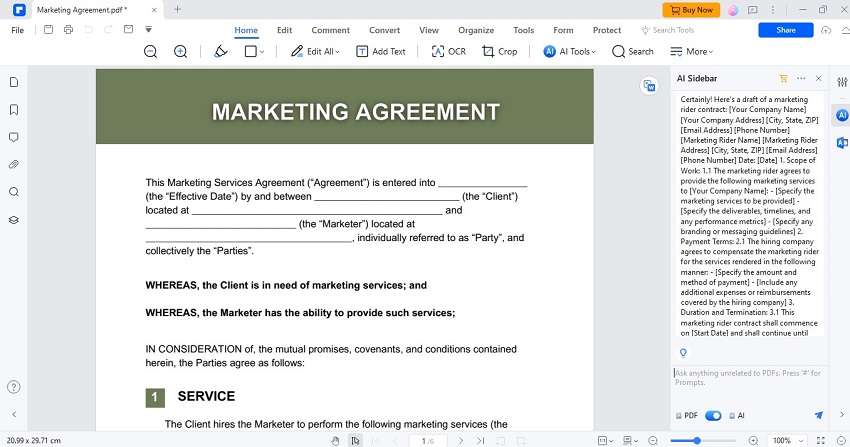
Use PDFelement's AI tool to help draft your rider. Click on the AI tool and select the option to craft legal documents. Input the specifics of what you need in your rider, such as clauses about payment terms, responsibilities, or other conditions. The AI will generate a draft based on common legal standards and your specific needs.
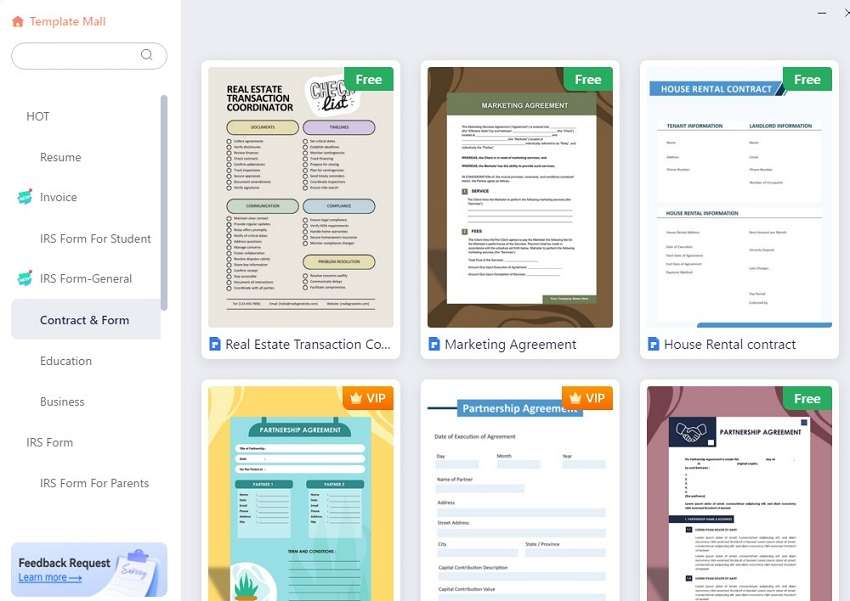
Step 3 Use the ‘Edit PDF’ Tool
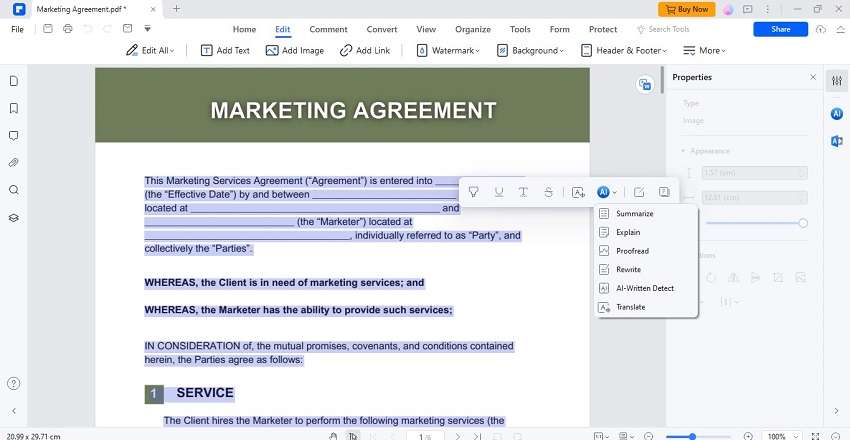
Click on the ‘Edit PDF’ tool in PDFelement. This allows you to add text and directly change the existing PDF contract. Position your cursor where you want to insert the rider.
Step 4 Insert the Text of the Rider
Type in or copy-paste the content of your rider into the contract. Use the formatting tools in PDFelement to match the text style and size with the rest of the contract, ensuring consistency.
Step 5 Merge Documents if Necessary
If your rider is a separate document, use the ‘Merge PDF’ tool to combine the original contract and the rider into one document. This keeps everything organized and in one place.
Step 6 Review and Compress the Document
Review the document once your rider is added to ensure all details are correct and clear. You can also compress the PDF if its file size is too large, making it easier to share.
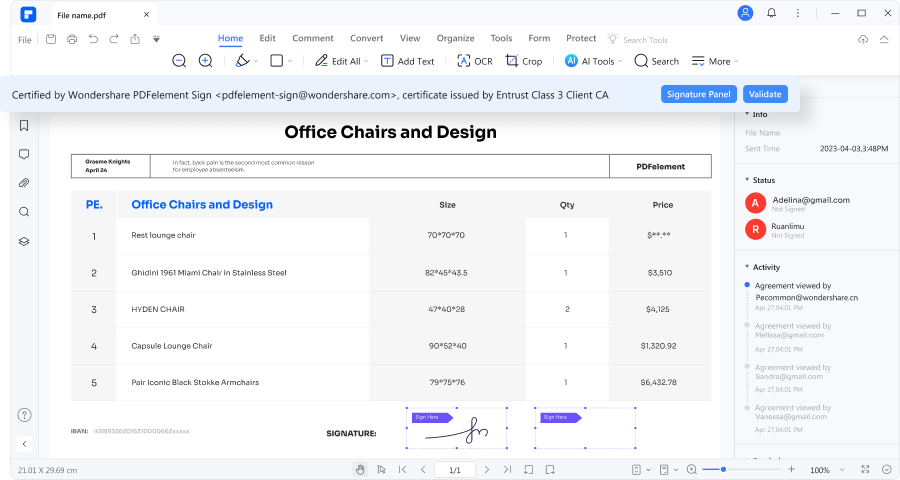
Step 7 Obtain E-Signatures
Use PDFelement’s e-signature feature to send the updated contract to all parties involved for signing. This ensures that the rider and the contract are legally enforceable.
Step 8 Save and Distribute
Save the newly signed contract with the rider in PDFelement. Distribute copies to all parties for their records. Ensure you keep a backed-up copy for future reference.
Here are some legal considerations:
- Ensure that the rider does not contain any terms that contradict the main contract unless explicitly stated.
- All parties involved in the contract should agree to the rider. Everyone must sign the updated contract, acknowledging the changes.
- Keep a record of all communications and agreements related to the addition of the rider for legal purposes.
Conclusion
Using Wondershare PDFelement simplifies adding and managing riders. PDFelement allows you to easily edit, merge, and sign documents, making updating contracts seamless. This tool is essential for anyone who manages contract documents efficiently, ensuring all modifications are clear and legally binding.




